Solutions · Mobility & logistics
Logistics app: what to decide, build and test.
Planning one? Here's what to settle before you brief anyone, what goes in the first version, how the build runs week by week, how the beta is tested with real people, and the numbers that show it's working.
Booking app, fleet tool or dispatch console: who is the first user?
"Logistics app" covers three different products, and picking the wrong first one is the most common way to waste a budget. Start with the person who loses the most time today.
- Marketplace (customers book, drivers accept). Needs a booking app, a driver app and enough drivers in one area. Trade-off: you carry the demand and supply problem and the support load, and pricing has to be trusted by both sides.
- Your own fleet or partner fleet. Trips are assigned, not bid. Simpler logic and a smaller driver app, but you own vehicle utilisation, fuel and breakdowns.
- B2B contract freight. Fewer customers, bigger shipments. The product is mostly an ops console, rate cards, invoices and documents, not a consumer app.
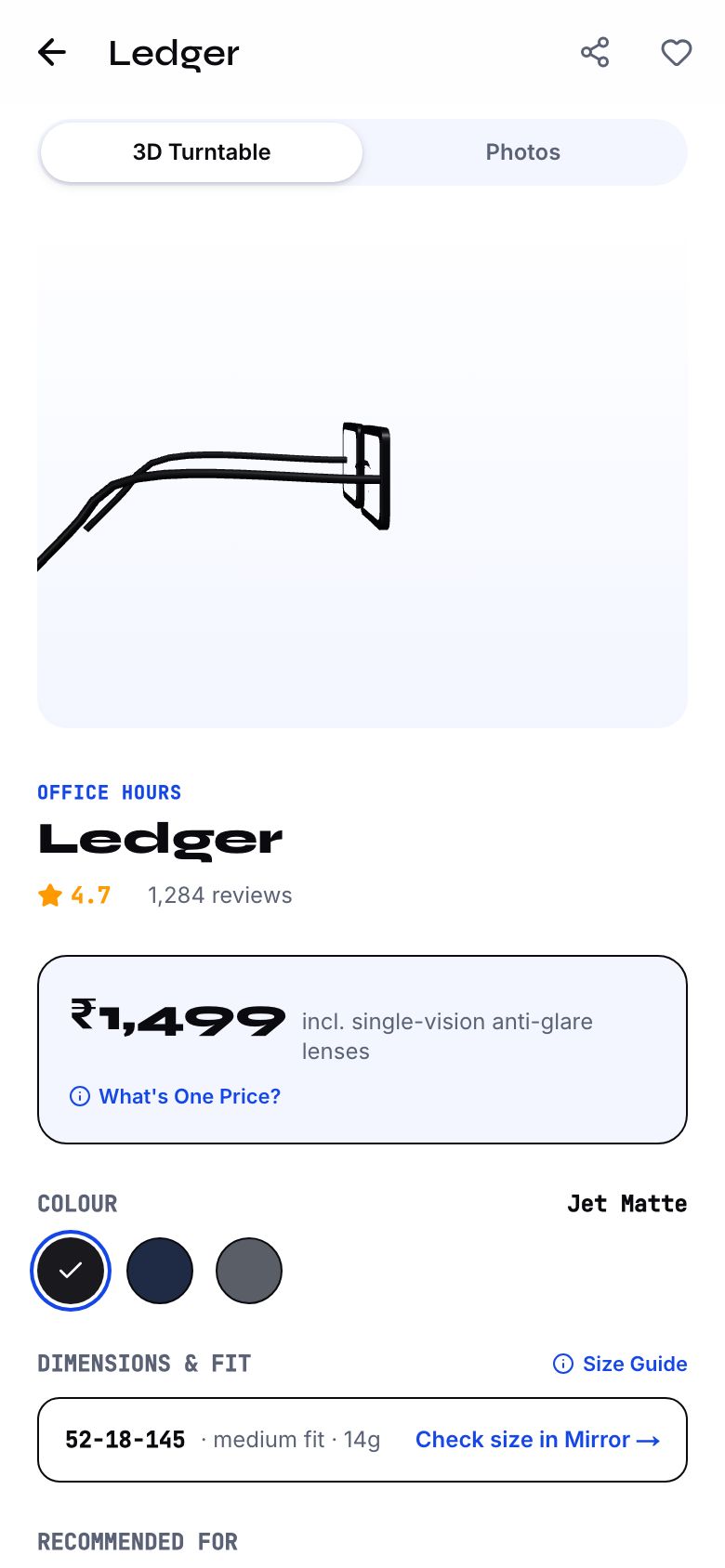
- Pricing model. Per km with a base fare is easy to explain, and HornOK shows every line (base, distance, stops, waiting, helpers, floors). Slabs suit fixed corridors. Bids and contracts need a quotation workflow and approvals.
If your pain is spreadsheets and calls, start with the ops console, as in Fluxhaul, and add the booking app later. The logistics app guide and the courier, transport and packers and movers playbooks cover the business side.
- Marketplace, own fleet or B2B: which one first
- Intracity, scheduled B2B or long-haul
- Pricing: per km, slabs, contract or bid
- Vehicle classes and how load fit is decided
- GPS: phone-based, or a device already in your trucks
- Documents you must capture: LR, e-way bill, POD
Version 1 for logistics: trips, proof and exceptions
| Module | First version | Add later | Why |
|---|---|---|---|
| Booking | Pickup, drop, vehicle class, goods type, fare estimate | Multi-stop and recurring bookings | One clean trip proves the loop. |
| Pricing engine | One rate card, itemised | Corridor rates, dynamic pricing | Customers accept a price they can trace. |
| Dispatch | Assign a trip to a driver, accept and decline | Auto-assign, bidding | Manual assign works at tens of trips per day. |
| Driver app | Trip card, loading check, OTP, earnings | Fuel and toll logging, advances | Drivers need big buttons and their own language. |
| Tracking | Phone GPS, status updates, ETA | Hardware GPS integration | Phone tracking costs less and is enough to start. |
| Proof of delivery | Photo, signature or OTP | Damage claims workflow | POD ends disputes and starts billing. |
| Exception board | Delays, missed windows, driver no-show | Predictive alerts | Ops acts on exceptions, not on a trip list. |
| Billing | Trip invoices with GST fields, CSV export | Accounting software sync | Accounts need the export before they need the sync. |
| Documents | Store LR number and e-way bill number on the trip | Auto-generate through the government portal | Start by recording them. Generation needs more integration. |
Eight to twelve weeks, and the data we need from your yard
| Weeks | We build | You supply |
|---|---|---|
| 1–2 | Trip lifecycle, rate card logic, roles, clickable prototype | Current rate cards, vehicle list, sample trips and invoices, the spreadsheet you use today |
| 3–5 | Booking app and pricing engine | Vehicle classes with capacity, locality list or service area |
| 6–8 | Driver app, dispatch, tracking | Five to ten drivers with Android phones for testing, languages they need |
| 9–10 | Ops console, proof of delivery, exports | Customer list, GST details, invoice format, a few weeks of past data to import |
| 11–12 | Pilot on real trips, fixes, store listings | GPS device access if used, payment gateway account and KYC, Play Store account |
How we work with you each week
The same rhythm runs from week 1 to launch, so you always know what's happening and what we need from you.
- Friday: a demo link and a 30-minute call. You open the latest build on your own phone and try it yourself, rather than watching our screen.
- Within 48 hours: your feedback, in writing. In one shared doc, next to the screen it's about. Written feedback is clear, dated and doesn't get lost between calls.
- Monday: triage. Every comment goes into fix now, next week or later. Anything that changes the agreed scope gets a written quote before we touch it.
- Each milestone: two revision rounds, then your sign-off. Sign-off is against the scope we agreed, so it's clear what done means.
- One decision-maker on your side. Most delays aren't build time. They're feedback waiting on several people who disagree.
The full version, including how the beta and user testing work across every kind of project, is on our process page.
The beta: a pilot on real trips with five drivers
The pilot runs in weeks 11–12, after the ops console, proof of delivery and exports are in and your past trips have been imported. It uses real loads and real customers, on a small slice of your daily work.
- What's in it. Booking with the itemised rate card, manual dispatch, the driver app with trip card, loading check, OTP and earnings, phone GPS tracking, photo or signature proof of delivery, the exception board, trip invoices with GST fields and the CSV export. LR and e-way bill numbers are recorded on each trip.
- What stays out. Auto-assign and bidding, multi-stop and recurring bookings, hardware GPS, fuel and toll logging, damage claims and accounting sync. They come after the basic trip record holds up.
- Who uses it. Five drivers from your own fleet or regular partners, on their own Android phones; one or two dispatchers who assign trips today by phone; your accounts person; and three to five regular customers who book often, such as a distributor or a shop that sends goods across the city every day. You choose them. A one-off trip for a friend won't show you a waiting-time argument at a loading yard.
- How they get it. Drivers install the Android build through Google Play testing. Customers use TestFlight or Google Play testing, or a staging link if they book from a desk. Dispatch and accounts use the console on a staging link.
- How long. Two weeks, on a set share of trips (one corridor or one customer's loads), with the old spreadsheet kept running alongside so nothing is lost if the app gets a trip wrong.
A new personal Google Play developer account has to run a closed test with at least 12 testers for 14 days before it can publish. Count the pilot group towards that, or use an organisation account.
What we test with real people, and the tasks we set
Every session gives one person one job to do on the phone or laptop they already use, in their preferred language. We watch and take notes, and don't help unless they are completely stuck. About five sessions per role is enough to see the main problems. Then we fix them and run the same jobs again.
| Who | The task | What we watch for |
|---|---|---|
| Customer | "Book a mini truck from your godown in Bhiwandi to a shop in Thane with 12 cartons, two helpers and one extra stop, and check the fare before confirming." | Do they pick the right vehicle class? Can they trace each line of the fare? Do they enter goods type and declared value without skipping? |
| Driver | "Accept this trip, do the loading check at the godown, then wait 40 minutes because the goods aren't ready." | Is the waiting clock visible to them? Does the app record it even when signal drops inside the yard? |
| Driver | "Deliver to the shop, take a photo of the stacked cartons and get the owner's OTP." | Can they finish proof of delivery with one hand, in bright sun? What happens if the receiver has no phone handy? |
| Dispatcher | "A driver hasn't moved for an hour on the highway and the customer is calling. Find the trip and reassign the next load." | Does the exception board show the problem before the call? How many clicks to reassign? |
| Dispatcher | "This load is worth ₹80,000 and going 350 km. Add the e-way bill number and check it is still valid for the trip." | Is the expiry shown next to the trip? Does the warning appear before it lapses, not after? |
| Accounts | "Raise invoices for last week's trips for one customer and export them for your CA." | Do the GST fields match what the CA needs? Does the export open cleanly in a spreadsheet? |
The numbers that say it's working
Pick two or three of these in week 1. Your current spreadsheet and call log usually give a starting figure. We wire the tracking in before the pilot and report at launch and 30 days on. We won't promise where the numbers end up, only that you can see them and decide what to change.
| Goal | What we measure | Where it comes from |
|---|---|---|
| Dispatch takes less phone time | Trips assigned in the console versus by call, and time from booking to driver assigned | Console logs |
| Trips arrive in the window | Promised versus actual delivery time, by corridor | Driver app timestamps and GPS |
| Waiting is recorded, not argued | Waiting minutes per trip and how many were billed | Driver app and invoices |
| Billing starts sooner | Time from proof of delivery to invoice raised | Console and billing export |
| Documents don't stop trucks | E-way bills that came close to lapsing or lapsed during a trip | Trip records |
| Fewer disputes | Trips with a fare or damage dispute per 100 trips | Exception board |
What a logistics app costs, and what drives it up
On the app cost guide, a booking app plus driver app plus admin with live maps and payments is a marketplace, ballpark ₹25–60 lakh from a small studio. An ops console or freight dashboard for your own fleet is data-heavy business software, ballpark ₹12–35 lakh. A simpler build with one user type and no live data sits lower. These are ballparks, and the studio quotes on your brief.
- Data volume. A console that scrolls hundreds of thousands of rows without lag needs different engineering from one that shows today's trips. Fluxhaul is built on 150,000 sample shipments for that reason.
- Hardware GPS. Integrating devices already in your trucks costs more than phone tracking and depends on the device vendor's interface.
- Pricing complexity. Slabs, tolls, waiting, bids and contracts each add rules and approval screens.
- ERP and accounting links. Each integration is its own project and depends on the other system.
Ongoing costs, such as maps, SMS and hosting, rise with trips. See app maintenance cost.
E-way bills, goods forwarding notes and driver data: rules for logistics software
- E-way bill. Under GST, goods worth more than ₹50,000 moving between points generally need an e-way bill, and for road movement the vehicle details in Part B must be filled in. Validity is counted at one day per 200 km or part of it. Your trip record should store the e-way bill number, its expiry and the vehicle number, and warn dispatch before it lapses. Check short-distance and other exemptions with a CA.
- Goods forwarding note. The Carriage by Road Act 2007 requires the consignor to execute a goods forwarding note declaring the value and any hazardous goods, and makes the consignor responsible for its accuracy. Carrier liability for loss or damage is limited to an amount set by rules, unless a higher risk rate is agreed, and a claim needs written notice to the carrier first. So record declared value and goods type at booking and keep the document with the trip. Ask a lawyer for the current liability limits.
- Freight GST. How GST applies to transport of goods, including who pays under reverse charge, depends on the type of transporter and customer, and has been revised over time. Store GST fields on every invoice and have a CA set them up.
- Driver and customer location data. Tracking collects location, phone numbers and addresses. Collect with consent, tell drivers when tracking is on, and stop it off duty. The DPDP Rules phase in over 18 months from November 2025. See the DPDP checklist.
- Payments. If you collect from customers and pay drivers or sub-contractors, use a licensed gateway. RBI's Payment Aggregator Directions of 2025 apply to the entity that holds funds for others.
- Driver status. Whether drivers are employees, contractors or platform workers affects pay, insurance and social security. Ask a lawyer before you fix the model.
This is general information for planning, not legal or tax advice. Rules change; confirm with a CA or lawyer.
Seven logistics mistakes, and the fix
- Building a booking app when the pain is dispatch. Customers are fine on the phone, ops is not. Start with the console.
- A hidden fare. Surprise charges at the drop start arguments. Show base, distance, stops and waiting before booking.
- Ignoring waiting time. Unpaid waiting at loading yards drives drivers away. Include free minutes and a per-minute rate.
- Assuming signal on highways. Trip events must save on the phone and sync later.
- Treating e-way bills as an afterthought. A lapsed document stops a truck. Alert before expiry.
- A console that slows down with data. Test with a realistic row count in week 1, not at launch.
- Skipping driver language. Large buttons and a regional language lift usage. HornOK's driver app offers English, Hindi, Kannada, Marathi and Tamil.
Run a pilot with five drivers and a month of your own trips, fix what ops finds, and only then open booking to customers.
Cost and timeline
8–12 weeks for a first version.
Fixed quote within 48 hours of your brief: scope, timeline and price in writing before we start. These are what move the number.
- Intracity on-demand, scheduled B2B or long-haul freight
- Size of the data your ops team works with
- Pricing: per km, slabs, bids or contracts
- Integrations with GPS devices, ERP or accounting
- Number of user roles and approval steps
Questions
About your logistics app.
How much does a logistics app cost in India?
It depends on whether you need a customer booking app, a driver app, an ops console or all three, and on integrations with your GPS or ERP. We give a fixed quote within 48 hours of your brief. The app cost guide covers the main drivers.
Can you build only the ops dashboard for our existing fleet?
Yes. Our concept build Fluxhaul is a stand-alone freight ops console: a large shipment table, an exception centre and analytics. Many logistics teams start with the dashboard because that is where the spreadsheets hurt most. It plugs into your existing fleet data instead of replacing it.
How long does it take?
A booking app, driver app and ops console together usually take 8 to 12 weeks. A dashboard on its own is quicker. We show working screens from the first fortnight, not just designs. You can test each side with real drivers as it comes together.
Will the driver app work in areas with poor signal?
Yes. Highways and loading yards often have weak coverage, so the driver app saves trip events on the phone and syncs when the connection returns. It runs on low-cost Android handsets. Proof-of-delivery photos upload in the background once there is a signal.
Do we own the software?
Yes. Source code, design files and documentation are handed over in full, and you can host it wherever you like. Your dispatch data stays in your own accounts, and your engineers or any other team can extend the system without asking us.
Read next
- MobilityLogistics and truck-booking apps: drivers, tracking and ops →What an Indian truck-booking or logistics app needs: customer and driver apps, live tracking, proof of delivery, e-way bills and an ops console that scales.
- CostHow much does it cost to build an app in India? →Ballpark app development costs in India for 2026, from a simple app to a multi-sided marketplace — what moves the price, and how to get a quote you can trust.
- TechnologyNative, cross-platform or PWA: choosing for Indian users →Should your app be native, Flutter or React Native, or a progressive web app? A practical comparison for India's budget Android phones, patchy data and app-size limits.
- CostWhat an app costs after launch: hosting, upkeep and updates →App maintenance costs in India explained: hosting, store fees, OS updates, security patches and support models — with a yearly budget table and ways to keep it down.
Start a project
Tell us how your business runs. We'll build what it runs on.
Four taps, about a minute. Fixed quote within 48 hours.