Start with a spreadsheet, WhatsApp and a UPI link, and add tools only when a specific pain appears: late fees, slow test marking, lost doubts, absent students. A coaching institute has five systems to run (admissions, fees, attendance, tests and doubts), and each can be solved cheaply before you consider a full platform.
The things that need real software first are test marking with analysis and fee collection with reminders. Live classes and recorded lectures come next. A custom app is worth it only when you run many batches or teach beyond your city and your process is already steady. All prices below are estimates, and we have not verified any vendor's current pricing.
Five systems you actually need to run
| System | What goes wrong without it | Cheapest thing that works |
|---|---|---|
| Admissions and enquiries | Calls forgotten after the demo; no idea which source works | A shared sheet with name, class, school, source, status and next-call date |
| Fees and instalments | Missed reminders, disputes over what was paid, no receipt | A sheet with instalment dates, plus UPI links and receipts from a billing tool |
| Attendance | Parents learn a child bunked only at the month-end report | A class-wise sheet or a free attendance app; absent alerts by WhatsApp |
| Tests and analysis | Marking takes days; analysis is a single total score | A test-series sheet or a test platform with topic-wise analysis |
| Doubts and notes | Doubts lost in WhatsApp group chatter | A separate doubts group per batch, or a doubts tool with tickets |
If you are choosing between a website, an app or both for the first year, our website or app guide walks through the decision.
Sheets and WhatsApp: what they can and cannot carry
A well-built Google Sheet runs 100 students respectably. The structure matters more than the tool.
- One sheet per batch with columns for roll number, parent phone, fee plan, instalment dates and amounts, and a status that turns red when a date passes.
- A test sheet per paper with marks per question, section totals, rank in batch and a pivot of chapter-wise performance. Teachers learn to read it in a week.
- WhatsApp: one broadcast list for fee dates, test dates and holiday notices; one group per batch for students; and a separate parents' list. Keep teacher phone numbers out of student groups, which is a welfare and boundary point several state rules and the central guidelines care about.
- Permissions: the front desk edits fees, teachers see only their batch's marks, and nobody keeps parent data on a personal phone.
Where this breaks: past 150 students the sheets become slow, fee follow-up becomes a person's full-time job, and a test of 200 OMRs takes a day to mark. That is the signal to add dedicated tools. Messaging rules, consent and templates for business use are covered in our WhatsApp guide.
Off-the-shelf tools by job
Many Indian vendors sell coaching-institute ERPs and white-label apps. Rather than name vendors whose prices change, here are the categories, what they cost roughly and what to check.
| Tool category | Estimated cost | What to check before paying |
|---|---|---|
| Fee, attendance and parent-alert software (coaching ERP) | ₹6,000–40,000 per year for a small institute; more for multi-branch | Instalment schedules, partial payments, fee receipts, WhatsApp or SMS credits, export of your data |
| Billing and GST invoicing | ₹3,000–12,000 per year | GST-ready invoices, UPI collection, receipts per instalment; see our GST billing guide |
| Test and OMR platform | ₹10,000–60,000 per year, or per-student pricing | Exam-format papers, section-wise and chapter-wise analysis, rank lists, phone-based OMR or scanner support |
| Live-class tool (video meeting or classroom platform) | Free to ₹3,000 per teacher per month | Low-bandwidth modes, attendance logs, recording, student limits, and whether students can share the link |
| Video hosting for recorded lectures | ₹500–5,000 per month by storage and viewing | Domain-restricted playback, watermarking, no public unlisted links, offline download controls |
| Student app or white-label LMS | ₹30,000–2 lakh per year, or a one-time fee | Branding, your own domain, data export, support turnaround and a clear exit path |
| Doubts tool | ₹0–20,000 per year | Photo upload of a question, tagging by chapter, response-time reports |
- Data ownership: insist you can export student records, marks and fee history in a spreadsheet at any time.
- Student data: many of your students are minors. The Digital Personal Data Protection Act is generally understood to require verifiable parental consent for children's data, and to restrict tracking and targeted advertising aimed at children; our DPDP checklist summarises it, but confirm the current rules with a lawyer.
- Payments: use UPI, cards or net banking through a regulated gateway. See UPI payments in your app.
- Test integrity: if you run tests online, check how the platform handles tab-switching, time limits and shuffled questions.
Test series software: the part that makes an exam institute different
A coaching institute lives or dies on the quality and speed of its tests. Here is what a good test workflow includes, whatever tool you use.
- Question bank: tagged by subject, chapter, concept, difficulty and source year; flags questions already used in a batch.
- Paper builder: mixes sections to match the target exam's pattern. JEE Main, NEET, and UPSC prelims all differ in structure, marking schemes and negative marking. Check the current pattern at the conducting body's site, as it changes.
- Delivery: printed with OMR, or on a screen. A screen test needs a stable network and a fallback.
- Marking: OMR scan or auto-marked, with a review for ambiguous answers and a challenge window.
- Analysis: score, rank in batch, topic-wise accuracy, time per question and the five chapters that cost the student most marks.
- Feedback: a solutions video or PDF and a doubt session in the next two days. Analysis without a follow-up is a report no one reads.
- Parent view: a one-page report with the trend over the last five tests, not only the latest score.
Keep results private to the student and parent. Public rank lists can hurt weaker students and run against the wellbeing emphasis in recent coaching rules. Confirm your state's position.
Live classes and recordings that survive weak connections
If you teach beyond your city, connection quality decides retention. A student on a 4G hotspot in a small town needs a stream that adapts, not one that freezes.
- Adaptive streaming and a low-data mode: starts at audio-plus-slides quality and goes up. Test on a mid-range Android phone on mobile data before you buy.
- Recording with chapter marks: students rewatch a ten-minute segment, not a two-hour lecture.
- Timestamped doubts: a student pins a doubt to the minute of the lecture where they got lost. It is the single most useful feature of a good coaching app, and the hardest to retrofit.
- Attendance from the live session: auto-marked, so the front desk does not re-enter it.
- Piracy controls: watermarking with the student's name and ID, device limits and no public downloads. Recorded lectures leaked to Telegram channels are a known problem in this trade.
- Regional language support: many students think in Hindi, Marathi, Tamil or Bengali but sit exams in English; allow mixed-language teaching notes. See our regional-language apps guide.
When a custom app pays, and what it would cover
Off-the-shelf coaching apps are good enough for most single-city institutes. Custom pays when three conditions hold: you run enough batches that staff time on admin is a visible cost, your teaching method is steady enough to encode, and you want an experience your vendor cannot configure.
| Trigger | What custom would cover | Rough range (estimate) |
|---|---|---|
| Many batches, several branches, one student identity | One student record across branches, centralised fees, batch transfers, branch-wise reports | ₹5–15 lakh for a first version |
| Exam-specific test engine | Pattern-faithful test delivery, adaptive difficulty, topic-wise analysis, question tagging | ₹4–12 lakh |
| Teaching beyond your city | Low-bandwidth live classes, recorded lectures with timestamped doubts, offline notes, regional language | ₹8–25 lakh |
| Parent and student retention | Parent dashboard, progress trend, absent alerts, fee reminders, counselling booking | ₹2–6 lakh |
A common failure is paying for a custom app before the batch process is stable, which locks a messy process into code. Run the sheet-based process for a full cycle first, and let a list of real pain points drive the brief.
Pricing in this section is an estimate for planning, not a quote. We have not verified any vendor's current prices.
Our concept build: RankUp, and what it does and does not cover
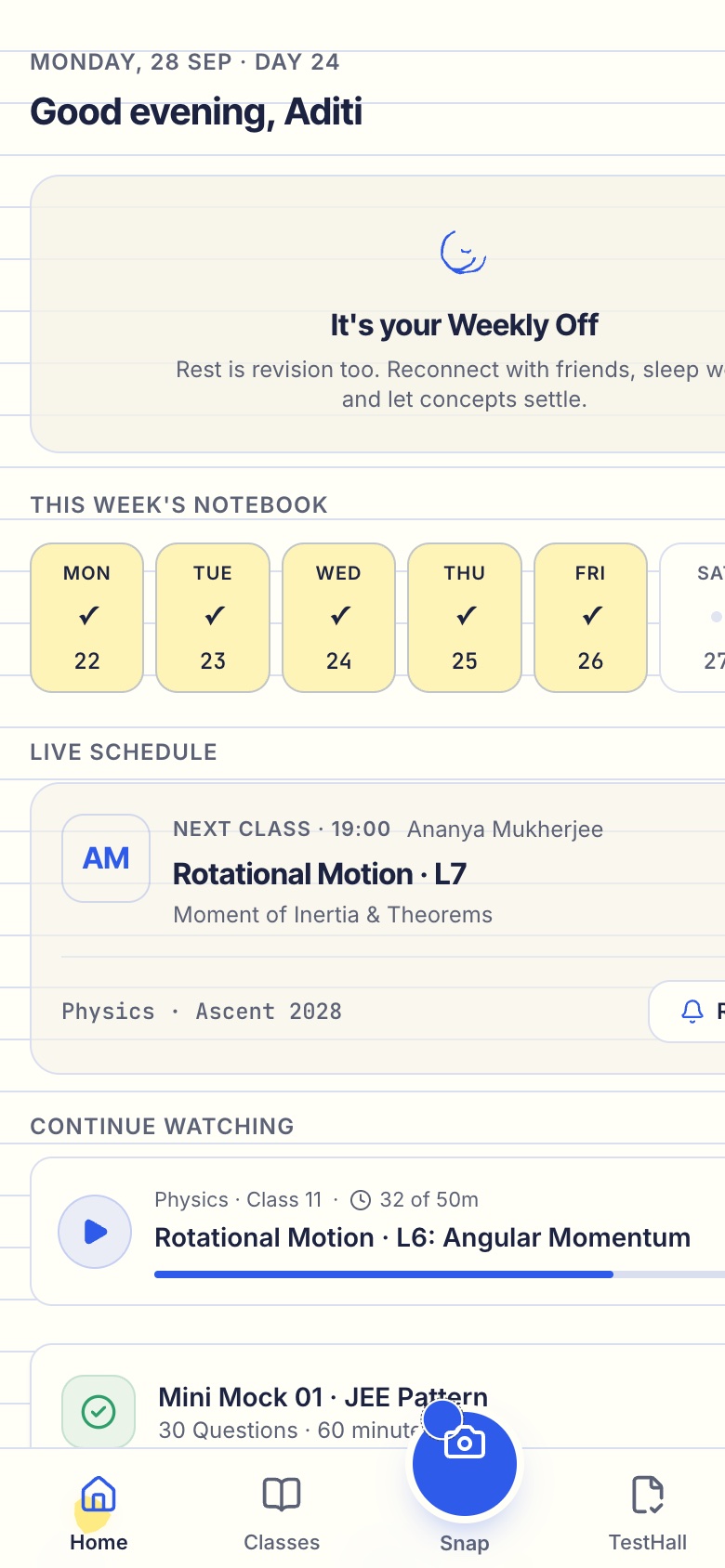
RankUp is our concept build for a competitive-exam learning app: live classes designed for weak connections, doubts pinned to the moment in a lecture, formula flashcards and a test series with analysis. It is a concept that shows how those pieces can work together; it is not a finished product used by institutes, and it does not replace a fee, attendance or admissions system.
The Saral builds custom apps for businesses that have outgrown off-the-shelf tools. If you reach that stage, our edtech app solution describes how we scope it, and you can send us a brief for a fixed quote. If an off-the-shelf tool fits you today, use that and come back later.
More on starting a coaching institute
- Start hereThe full playbook →Models, licences, startup costs and the steps to your first customer.
- Go deeperWhat to buy →Seating, boards, camera and mic, print and OMR gear, costed, plus what to skip in year one.
- Go deeperWho to hire →Faculty, academic head, doubt-solvers and counsellor in hiring order, with pay ranges and a vetting task.
- Go deeperGetting customers →Demo classes, scholarship tests, parent meets and referral rules for the first batch, without rank claims.
Questions people ask
What software does a coaching institute need first?
Start with a spreadsheet for admissions, fees and attendance, WhatsApp for parent updates, and UPI for payments. The first paid tool should be one that handles fee reminders and receipts, or one that marks tests and gives topic-wise analysis. Add live-class and lecture-recording tools when you teach students who cannot attend in person.
Do I need an app for my coaching institute?
Not at the start. Many single-city institutes do well with sheets, WhatsApp and one or two off-the-shelf tools for fees and tests. An app begins to pay when you run many batches, teach beyond your city, or need recorded lectures, timestamped doubts and a test series in one place. Define the pain first and the app second.
How do I stop my recorded lectures being leaked?
You cannot stop leaks entirely, but you can reduce them: host on a platform with restricted playback, watermark videos with the student's name and ID, limit devices per account and disable downloads. Terms of enrolment should state that sharing is prohibited. Leaks usually come from a few accounts, so watermarks let you trace them.
Can I take student data on WhatsApp and Google Sheets?
Yes, but with care. Many students are under 18, and the Digital Personal Data Protection Act is generally understood to require verifiable parental consent for children's data. Collect only what you need, keep the sheet permissioned, and do not share it on personal phones or public groups. Confirm the current rules with a lawyer; this is general guidance.
When is custom software worth it for a coaching institute?
When off-the-shelf tools no longer fit your process: several branches with one student record, an exam-specific test engine, or a national online batch with weak-network needs. A first custom version typically costs several lakh, so run a stable manual process for a cycle first and let real pain points define the brief. These figures are estimates.