Run a cosmetics brand on a hosted online store, a spreadsheet for batches and expiry, a GST-capable accounting tool and WhatsApp. That is enough for the first year. Pay for custom software only when shade matching, subscriptions or a multi-brand storefront is clearly worth more than it costs.
What is special about beauty is batch traceability, expiry, shade variants and customers who need help choosing. Most store builders handle the order; few handle the rest. This page lists what to use at each size of brand, and we have not verified current vendor prices, so none are quoted.
What cosmetics need that generic stores do not
- Batch and expiry tracking. Each batch has a number and a use-before date printed on the pack. You need to know which batch a customer received, and to ship older stock first.
- Shade and variant data. A lip colour in eight shades is eight stock lines, each with its own sell-through. A store that lumps them together hides which shade is missing.
- Ingredient and use content. Product pages need ingredient lists, how to use, who it suits and warnings, in a consistent format that matches the label.
- Reaction and complaint log. A simple record linking each report to an order, product and batch, kept in one place.
- Returns policy handling. Opened cosmetics are generally not resold, so decide what is returnable (unopened, damaged, wrong item) and how your tool records it.
- COD and RTO. Cash-on-delivery refusals are costly for low-priced items; confirm COD orders by WhatsApp or OTP before dispatch.
Before launch: sheets and a hosted store
Build a handful of sheets first. They define your data and become import files for any tool later.
| Sheet | Columns | Why |
|---|---|---|
| Products and shades | SKU, product, shade, size, MRP, GST rate, HSN code, cost, supplier, reorder level | Becomes the product import for your store and billing tool |
| Batches | Batch number, SKU, manufacture date, use-before date, units made, units sold, units held, notes | The core of traceability and first-in, first-out |
| Shade demand | Shade, requests, out-of-stock views, sold per week, returns by reason | Tells you which shade to add or drop |
| Complaints | Date, order, product, batch, complaint, action taken, manufacturer informed | A record you can show a consultant or the manufacturer |
| Supplier orders | Component, supplier, ordered, expected, received, balance | Prevents running out of caps while bulk is ready |
For the storefront, a hosted store builder (Shopify and WooCommerce on managed hosting are the usual starting points, among others) gets you live in days with UPI, cards and COD through a payment gateway such as Razorpay or Cashfree. We have not verified current plans or fees; compare them against your expected orders. The ecommerce website guide covers what to check, and UPI payments explains how Indian payments work.
Orders, shipping and stock: the first year
| Need | What to use | Watch out for |
|---|---|---|
| Storefront and checkout | A hosted store with variants per shade and a shade swatch image per variant | Shade photos that do not match the product; test on several phone screens |
| Shipping and tracking | An aggregator such as Shiprocket, Delhivery or similar couriers via a plugin | Weight disputes, liquid-handling restrictions, COD remittance delays |
| Accounting and GST | A GST-capable accounting tool such as Zoho Books, Tally or Vyapar; see the GST billing software guide | Item-wise GST rates and HSN codes; confirm with your CA |
| Stock and batches | The batch sheet above, or an inventory app with batch and expiry fields | Not every inventory add-on supports expiry; test with a dummy batch first |
| Customer messages | WhatsApp Business app, later the WhatsApp Business Platform; see the WhatsApp guide | Opt-in and template rules; do not message people who have not agreed |
| Reviews with photos | A review app for your store builder | Do not edit or hide genuine negative reviews; they are why people trust the rest |
| Email and SMS | A basic email tool for order follow-ups and refill reminders | Opt-out links and consent |
Connect order, batch and complaint records by order number. When a customer reports a problem, you should be able to find their order, the batch they received and every other order from that batch in a few minutes.
Shade finders, routines and subscriptions
Once you have a few hundred orders, the next problems are customers choosing the wrong shade and customers who do not come back. Off-the-shelf add-ons can handle both at small scale.
- Shade quiz or guide: a simple questionnaire (undertone, depth, skin type) built with a quiz app or a store-theme feature, ending in a recommended shade. A swatch card in the pack is a cheap complement.
- Routine builder: a page that bundles two or three products into a morning and evening routine with a small bundle price.
- Subscriptions and refills: subscription apps for hosted stores exist; they suit steady-use products only. Read the subscription app guide first.
- Camera-based shade matching: virtual try-on and skin-tone scanning tools are sold as add-ons or APIs. They can help, but accuracy varies with lighting and phone cameras, so treat results as a suggestion and keep swatches and returns clear.
When custom software is worth it
Custom work pays when the thing customers value is something off-the-shelf tools do badly, and you have enough orders for the improvement to cover its cost. It rarely pays at the start.
| Situation | Off-the-shelf is probably fine | Custom may pay |
|---|---|---|
| One brand, a few products, under a few hundred orders a month | Yes | No |
| Many shades and a high wrong-shade return rate | Quiz app first | A shade-matching tool tied to your own swatch data, once returns cost real money |
| Several brands or creators selling on one site | Multi-vendor plugins can strain | A marketplace-style build, see the marketplace app guide |
| Live shopping or creator-hosted sales | Social platforms' own tools | A branded live-commerce flow once creators bring repeat sales |
| Batch tracing across your own warehouse | Inventory app with batch fields | A custom stock system if you outgrow it |
| Refills at scale | Subscription app | Custom billing and delivery logic once plans get complex |
If you reach that point, the ecommerce website solution page and the billing app overview describe what such builds involve and how scope is set.
Where Glowcart and The Saral fit
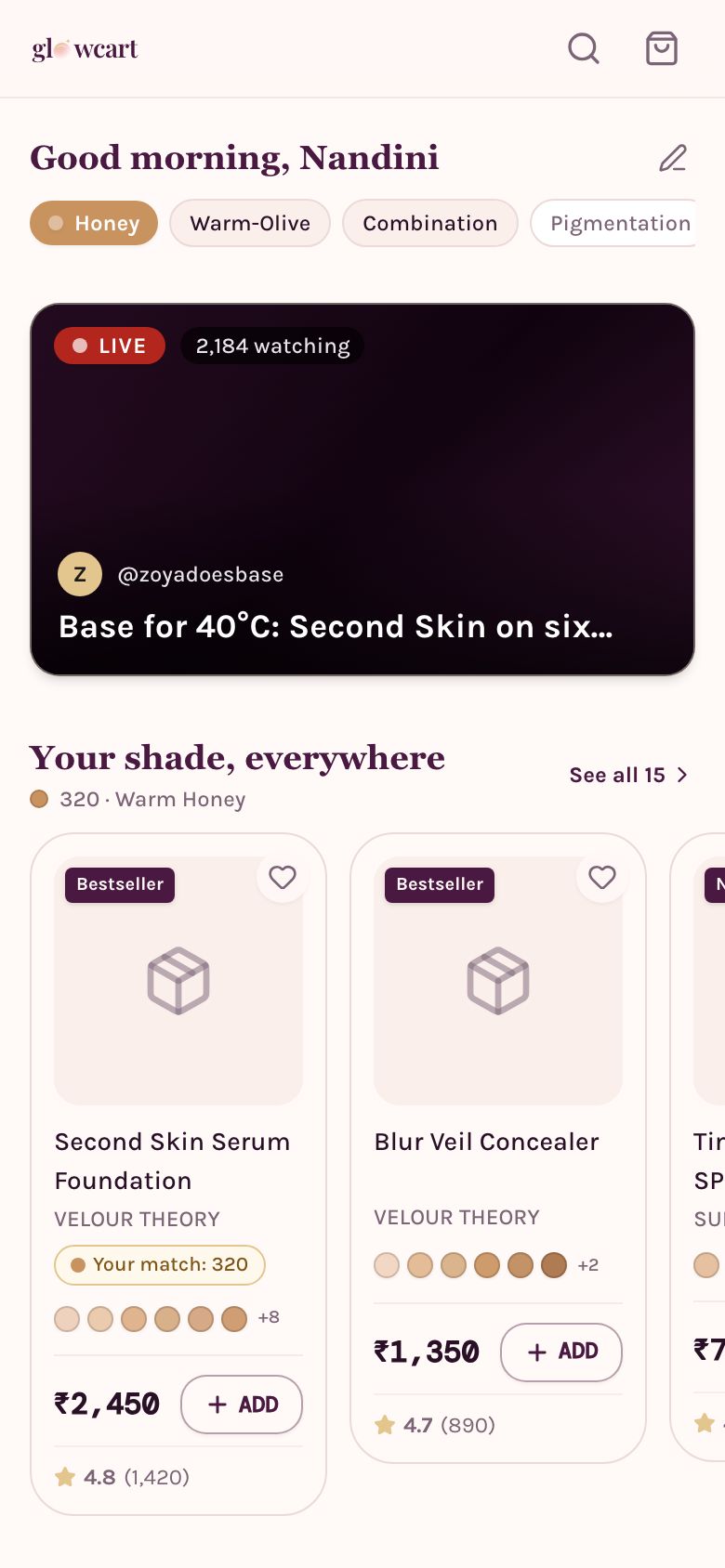
Our concept build Glowcart shows what a beauty storefront can look like when it is designed around Indian skin tones: a shade-matching flow, routine bundles, live shopping sessions and a brand dashboard that shows which tones a shopper base is asking for. It is a concept: it does not hold batch numbers or expiry, handle your regulatory records, or replace your accounts, and the shade tool should be treated as guidance, not a guarantee.
The Saral builds websites and apps for small businesses in India. If you reach the stage where your own shade tool or storefront is justified, you can get in touch with your order volume and shade data and we will tell you honestly whether a hosted store would do the job first.
More on starting a cosmetics brand
- Start hereThe full playbook →Models, licences, startup costs and the steps to your first customer.
- Go deeperWhat to buy →Samples, tests, packaging parts, first batch and shade stock, costed, plus what to hold back.
- Go deeperGetting customers →Creators, samples, marketplaces and WhatsApp, honest claims, launch pricing and refills.
- Go deeperFinding suppliers →Contract manufacturers, packaging makers, licences, formula ownership, terms and red flags.
Questions people ask
What software does a new cosmetics brand need?
A hosted store with UPI and COD, a GST-capable accounting tool, a spreadsheet tracking batches and expiry, and WhatsApp Business for customer messages. That covers the first year. Add a review app, a shade quiz and a shipping aggregator once orders arrive. Custom software only makes sense after those tools clearly limit you.
How do I track batches and expiry dates?
Record the batch number, manufacture date and use-before date for every batch, and the units held. Ship oldest first and note the batch against each order. A sheet works at small volume; later use an inventory app with batch and expiry fields, and test it with a dummy batch before relying on it.
Should I build my own website or use Shopify?
Use a hosted store builder first, such as Shopify or WooCommerce. It is live in days and handles checkout, taxes and many apps. Consider custom only when a feature that drives sales, such as a shade-matching flow, cannot be done with apps. We have not verified current plans or fees, so compare them yourself.
Can an app really match my shade?
It can suggest one, but accuracy depends on lighting, phone camera and how the shade photos were produced. Treat the result as a recommendation. Keep swatch cards, clear shade descriptions and a returns policy for unopened products, and track returns by shade to see whether the tool is helping.
How should I log customer complaints?
Keep one record per complaint with the date, order, product, batch number, what was reported, the action taken and whether the manufacturer was told. Link it to the order so you can see other customers from the same batch. Which reports must go to any authority depends on your category; ask a regulatory consultant.