Run your first twenty jobs a day on WhatsApp Business, a shared job sheet and UPI. When two or more people are dispatching, parts or warranties go missing, or customers ask where the technician is, move to field service software. Custom software pays only when your workflow is genuinely different or you want to run a marketplace.
What the software has to do is narrower than it sounds: take a booking, match it to the right technician by skill, area and time, record parts and photos, bill with GST and remember when to call the customer again. Prices below are estimates and platform pricing changes, so check each vendor.
The job sheet, WhatsApp and UPI
Until you have more than a handful of technicians, the cheapest system is a shared spreadsheet with one row per job and a WhatsApp Business account with quick replies and a catalogue. Add a printed or digital job card the technician fills at the door.
| Column | Why it is there |
|---|---|
| Job ID, date, slot, area | Prevents double booking and shows clusters by locality |
| Customer name, phone, address, building notes | Gate codes, lift status and parking decide whether the slot is realistic |
| Trade, complaint, inspection or fixed-price job | Separates diagnosis visits from priced jobs |
| Technician, arrival, finish time | Gives you travel time and job length per trade |
| Parts used with quantities | The base for stock count and the markup |
| Amount, mode (UPI, cash, card), invoice number | Reconciles daily collections |
| Warranty end date, next reminder date | Where repeat jobs come from |
| Photos link, rating, complaint note | Evidence and quality tracking |
UPI QR codes per technician or a single business QR with a job reference reduce cash handling. Cash collected must be reconciled against the sheet daily; this is the first control to automate.
Off-the-shelf tools worth testing
Several categories of ready-made software suit a service business. Test each on your own last twenty jobs before paying. We have not verified current features or pricing, and the names below are categories and examples to explore, not recommendations.
| Category | What it does for you | Watch for |
|---|---|---|
| Field service management (FSM) | Booking, dispatch, technician app, job cards, invoicing and customer notifications | Indian language support, GST invoices, WhatsApp notifications, per-user pricing that grows with technicians |
| Appointment and booking tools | Customer-facing slots and reminders | They book time, not skill and location, so you still need dispatch rules |
| Billing and GST software | Invoices, e-way and e-invoicing where applicable, purchase records, payment tracking | Whether it supports AMC schedules and recurring invoices |
| Small-business CRM | Leads from WhatsApp, calls and forms; follow-up reminders | Duplicate contacts and manual entry from chat |
| Route and map tools | Distance-aware daily plans | Traffic assumptions in your city, and technician phones with data |
| Inventory and stock apps | Van and store stock, reorder alerts | Whether stock can be assigned to a technician and to a job |
Our GST billing guide lists what to check in billing software, and the billing app page shows what a custom invoice flow looks like.
Signals that the sheet has stopped working
- Two people dispatch and the sheet has duplicate or conflicting rows.
- More than 25–30 jobs a day or more than eight technicians in the field.
- Customers ask for an arrival time and you phone the technician to find out.
- Parts go missing and you cannot tell which job used them.
- Warranty callbacks arrive and nobody knows the original job.
- Cash differences at the end of the day, with no job-level trail.
- AMC renewals are forgotten because the reminder lives in someone's head.
If three or more of these are true, move to field service software. Run the trial for a fortnight with two technicians and compare the time the coordinator spends on the phone before and after.
What dispatch has to get right in this trade
Dispatch in a home services business is harder than for deliveries because job length is uncertain and skills differ. Software needs to model that, or you will end up overriding it all day.
- Skill tags. An electrician who can do inverter wiring, an AC technician certified on a brand, a plumber who handles concealed work.
- Slot capacity by trade and zone. Three AC washes take longer than three tap repairs, and a Monday morning slot should reflect that.
- Buffer rules. Longer slots for diagnosis jobs, shorter for fixed-price tasks, and travel time between jobs.
- Parts check before dispatch. Do not send a technician to a geyser job without the element or a way to get one.
- Re-visit linking. A second visit for the same fault should appear on the original job and go to the same technician.
- Reassignment. If a job overruns, the next customer is moved with a message, not left waiting.
- Customer messages. Booking confirmation, technician name and photo, arrival window, and a rating request, sent automatically on WhatsApp or SMS.
When custom software is worth building
Custom software becomes sensible when a ready-made tool forces you to change what makes your service different, or when you want to run something an off-the-shelf tool does not support, such as a multi-vendor marketplace with payouts.
| Situation | Why off-the-shelf struggles | What a custom build would cover |
|---|---|---|
| Own customer app with live status | Generic booking screens and fixed branding | Customer app with upfront pricing, tracking and before and after photos |
| Mixed salaried and partner technicians | Payout and commission rules are unusual | Technician app with earnings, incentives and payout rules |
| Strong warranty and AMC business | Reminders and schedules are not flexible | Warranty cards, AMC calendar, renewal reminders |
| Multiple trades with partner firms | Skills, capacity and parts logic differ per trade | Skill-aware dispatch dashboard |
| Society or builder contracts | Bulk jobs, approvals and monthly invoicing | Account portals, work orders and consolidated billing |
Our home services app guide walks through the customer app, technician app and dispatch desk, and the home services app solution page lists typical features. Start from the job sheet above, because it is your first specification.
A concept to look at, and who builds it
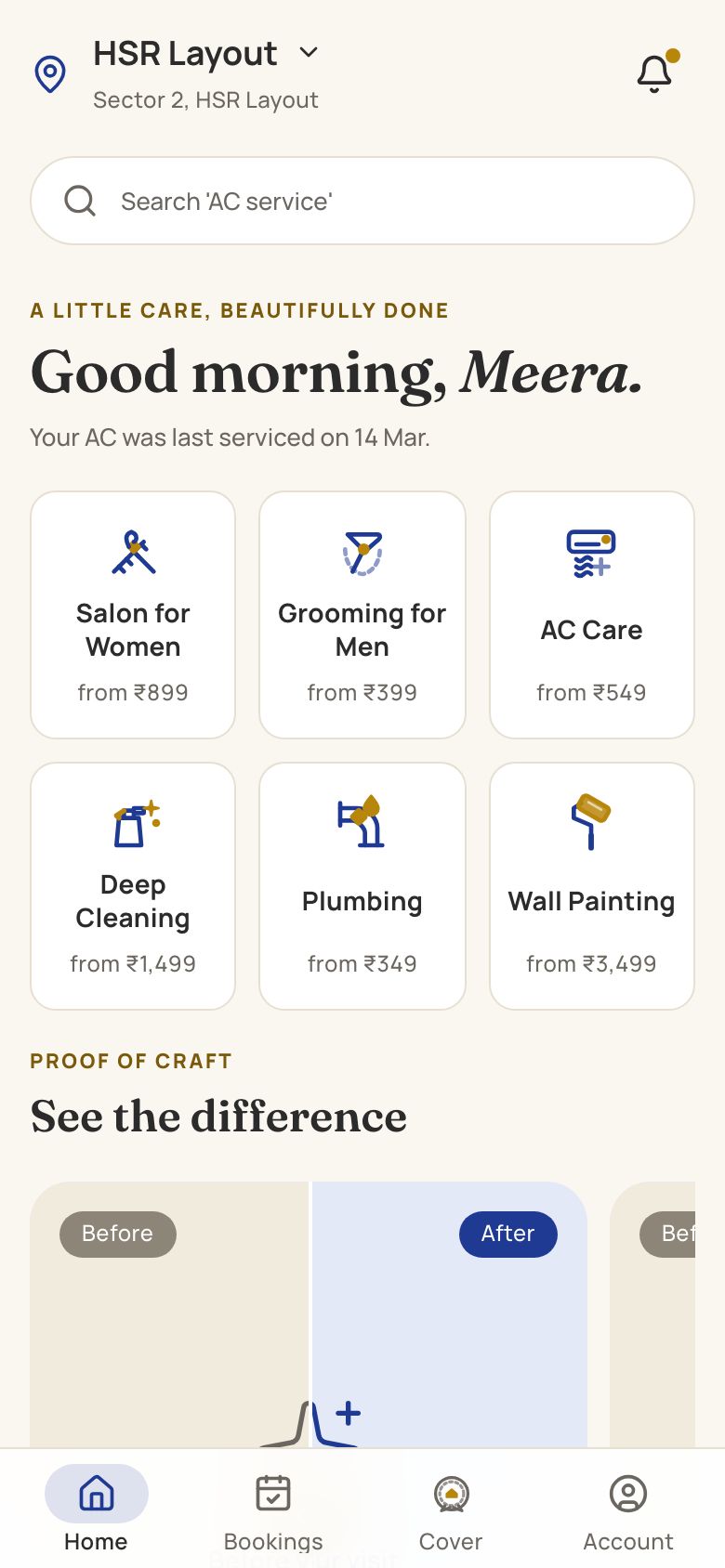
HomeCraft is our concept build for scheduled home services: slot booking, certified technician profiles, a before and after photo slider and a warranty card after each job. It also shows the technician's job view and a dispatch dashboard. It is a design and prototype to explore, not a live product and not an off-the-shelf system. A real project would add your skill and zone rules, parts and stock tracking, AMC schedules, GST billing and payment integration.
The Saral builds this kind of software for Indian service businesses. If you are at the stage where a sheet no longer works and off-the-shelf tools do not fit, send us a brief and we will reply with a scoped quote, but try the cheaper steps first, and read the home services playbook if you are still choosing your model.
More on starting a home services business
- Start hereThe full playbook →Models, licences, startup costs and the steps to your first customer.
- Go deeperWhat to buy →Trade-wise tool kits, van stock, safety gear and what to rent first, costed.
- Go deeperWho to hire →Technicians, helpers and dispatch in hiring order, with pay, trade tests and contracts.
- Go deeperGetting customers →Local search, societies, landlords and seasonal reminders that bring repair customers in India.
- Go deeperFinding suppliers →Parts distributors, wholesale hubs, fake-part checks, credit and backups for four trades.
Questions people ask
What software does a home services business need first?
Start with WhatsApp Business, a shared job sheet, UPI collection and a basic GST billing tool. That covers booking, dispatch by phone and payment for the first twenty or so jobs a day. Add field service software once several people dispatch, parts or warranties go missing, or customers want arrival tracking.
Is field service management software worth it for a small team?
It is worth testing when you have around eight or more technicians or two people handling bookings, because it reduces phone calls and missing records. For three or four technicians a sheet is often enough. Trial two tools on your last twenty jobs and count minutes saved before paying for a year.
How much does a custom home services app cost in India?
A first version usually costs a few lakh rupees at the low end and rises quickly with a customer app, technician app, dispatch dashboard and payment integration. Quotes depend on scope, so list the features you need first. We have not set a fixed price here; see our app cost guide for the factors involved.
Can one app handle plumbing, electrical, AC and carpentry?
Yes, if it tracks skills, slot lengths and parts per trade rather than treating every job the same. Each trade has a different job duration, parts list and warranty. A well-configured system tags technicians by skill and maps services to those tags, so the dispatcher sees who can take which job.
How do I track technicians' parts and cash in software?
Assign stock to each technician, record parts against each job card, and reconcile cash and UPI collections daily. Basic inventory apps and field service tools support this, and a sheet can do it for a small team. The aim is a trail from the part or payment back to the customer and job.