A juice bar needs four things from software: a fast bill with GST and UPI at the counter, a way to log fruit bought and thrown away, somewhere to take pre-orders by WhatsApp, and, if you sell bottles by subscription, a way to bill and route them. A sheet and a billing app cover all of that for a long time.
Custom software pays only for the subscription and delivery side, and only once a spreadsheet starts to break: dozens of weekly customers, pauses and skips, bottle returns. Everything else is cheaper off the shelf. The juice bar playbook lists the day-one stack in one paragraph; this page goes further.
The counter: billing, GST and UPI
The first purchase is a billing app that prints or messages a bill, takes UPI, cash and cards and produces a GST-ready sales report. At juice-counter speed, the bill needs to be built in under ten seconds: tap a drink, tap a size, tap an add-on such as ice or no sugar.
| Need | What to look for | Examples of the category (names not recommendations) |
|---|---|---|
| Fast item and size entry | Variants for size and add-ons, a touch screen on a phone or small tablet, offline mode for power or network cuts | Restaurant and retail POS apps such as Petpooja or Vyapar-style billing apps |
| GST invoices and reports | Tax-wise sales report your CA can use; check which of your items are taxed at what rate with the CA | GST billing software; see our GST billing guide |
| UPI collection with instant confirmation | A dynamic QR and a speaker box that announces payment | Bank or payment-provider QR and soundbox products |
| Printer | A thermal 58 mm receipt printer or a KOT-style slip for the juicer | Generic thermal printers |
| Aggregator integration | Orders from food-delivery platforms land on the same screen | Check support in the POS before buying |
Check three things in a trial: does it work when the internet drops, does the report show sales by hour (your rush windows), and can it export to Excel. A POS that cannot export locks your data away.
Fruit, recipes and wastage: where a sheet beats an app
The sheet that matters most is the daily fruit log. It tracks what you bought, what the juicer used, what is left and what you threw away. That single table shows whether yields are slipping, whether a supplier short-weights you and which drink is costing more than you charge.
- Purchase tab: date, fruit, supplier, kilos, rate, amount paid and mode of payment.
- Recipe tab: each drink with fruit grams per glass, ice, cup and add-ons; the formula multiplies by this week's rate to give cost per glass.
- Wastage tab: date, item, kilos thrown, reason (overripe, peel loss, spill, staff drink, unsold bottle).
- Closing stock tab: a simple count each night so tomorrow's buy is based on what is left.
- Weekly summary: sales from the POS, cost of fruit from the purchase tab and the gap, which is wastage and error.
A POS that deducts stock by recipe is useful only if your recipes are written down and your staff pour to them. For a single kiosk, a Google Sheet is usually enough. Consider recipe-based stock deduction when you have more than one outlet or when you run a commissary for bottles.
If the fruit log shows the same drink thrown away three days running, change the menu; do not wait for the month-end review.
Temperature, cleaning and licence logs
Customers drink the juice raw, so you should be able to show what you did to keep it safe. Keep a paper or digital record of chiller and freezer temperature morning and evening, juicer strip-and-clean sign-offs, water-purifier service dates, the half-yearly water test, pest control visits and staff health checks.
- Paper first: a clipboard on the chiller door is fine and inspectors recognise it.
- Cheap digital data loggers (a few thousand rupees as an estimate) can send an alert if a chiller crosses a set temperature during a power cut.
- Photo log on WhatsApp: staff post a photo of the cleaned juicer at closing in a group; it creates a date-stamped record without any app.
- Licence calendar: FSSAI renewal, shop registration and test report dates in Google Calendar with reminders thirty days ahead.
Taking orders and building a customer list
Most regulars order by WhatsApp. A WhatsApp Business account with a catalogue, a saved reply for the daily menu and an order cut-off time covers pre-orders for offices and gyms. Our WhatsApp for business apps guide explains what the API adds, which you do not need yet.
- Keep a customer sheet with name, number, area, usual drink, allergies and the date they joined, collected with consent.
- Broadcast lists for the daily menu, but keep them to people who asked for it and let them leave easily.
- A Google Business Profile with the live menu and hours; see our local SEO guide.
- A simple ordering page or form (Google Form, link-in-bio page) for offices that want a box, before building anything of your own.
Subscriptions and delivery: sheet, off-the-shelf, then custom
Recurring bottle delivery adds a different kind of complexity: who gets which bottle on which day, who has paused, who has not paid, and which rider takes which route.
| Volume | Cheapest thing that works | What starts to break |
|---|---|---|
| Up to 20 weekly customers | A Google Sheet with a row per customer and a column per day; pay by UPI link each week; one rider or yourself | Manual reminders and pause requests on WhatsApp |
| 20 to 100 customers | A storefront or subscription tool that supports recurring billing, skip and a delivery calendar, plus a route sheet printed each night | Late payments, delivery windows that clash, bottle returns |
| 100+ customers or two or more riders | A subscription and delivery app with customer accounts, UPI autopay, day-wise packing list, rider routes and bottle tracking | A sheet is no longer fast enough to stay correct |
What a custom subscription and delivery build would cover for a juice brand: customer accounts with pause and skip, UPI autopay with failed-payment follow-up, a packing list by flavour and day, bottle deposit and return tracking, rider route and delivery proof, and a simple dashboard of retention and wastage. Our subscription app guide explains the mechanics, and the subscription delivery app page shows what a build involves.
Custom pays when the manual work of reconciling subscriptions takes someone more than an hour a day, when you want customers to self-serve pauses at midnight, or when you have a second outlet or a commissary. Until then an off-the-shelf billing app and a sheet are cheaper and easier to change.
Where the Brewmont concept and The Saral fit
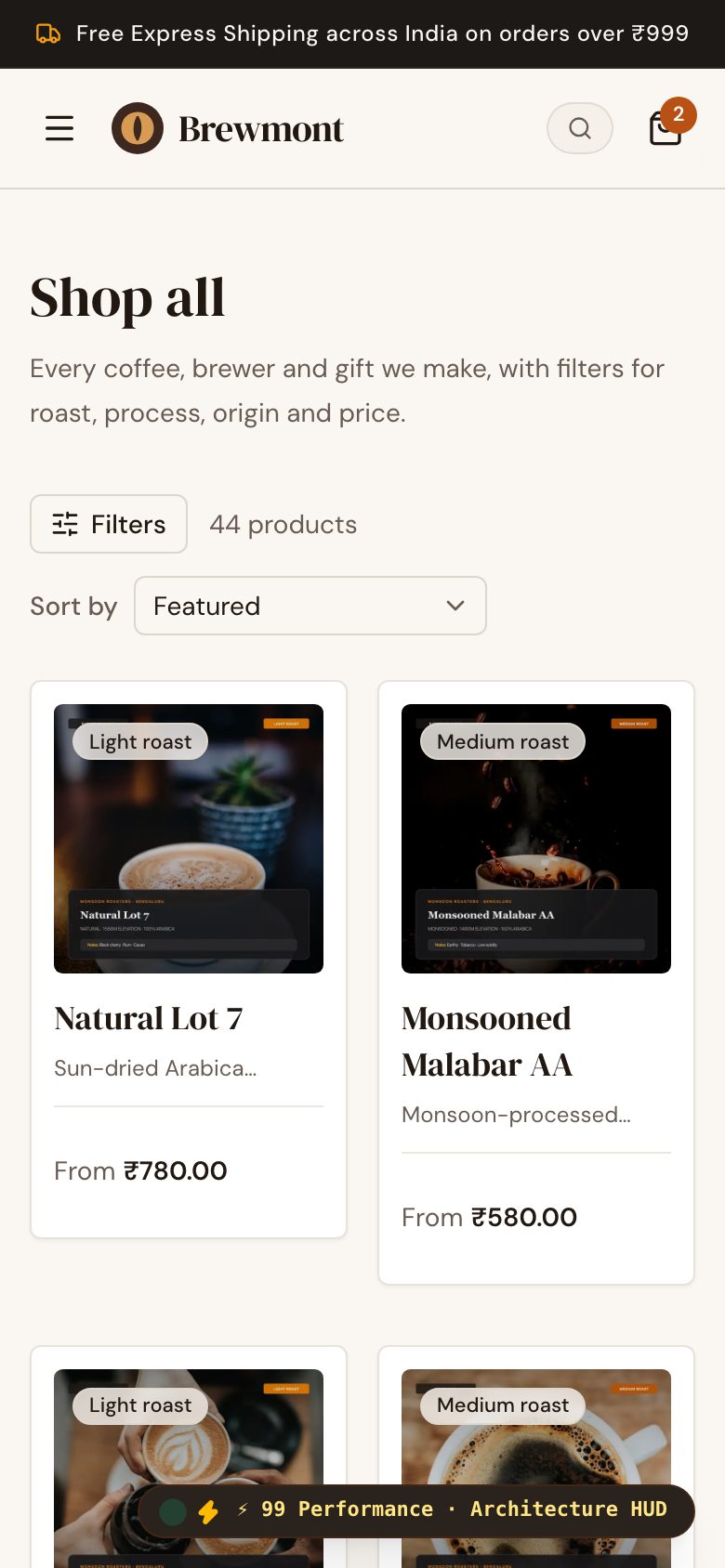
Brewmont is a concept storefront we built at brewmont.thesaral.com. It was designed for a coffee brand, with a product shop, subscriptions that customers can pause or skip, and a tasting flight sold as a sampler pack. A juice brand with bottles would need the same three pieces, so it is a fair reference for how a bottle shop with subscriptions could look. It does not include fruit purchasing, recipe costing, wastage tracking, cold-chain monitoring or counter billing; those are covered by the sheets and off-the-shelf tools above.
If you are at the stage where a sheet has stopped keeping up with subscriptions or you want an ordering page for offices and gyms, you can send The Saral a brief. Start with a short list of the drinks you would sell, how many customers you have today and how you deliver. See also our notes on a café ordering website and a billing app for the pieces that sit in front of and behind the counter.
More on starting a juice bar
- Start hereThe full playbook →Models, licences, startup costs and the steps to your first customer.
- Go deeperWhat to buy →Juicers, blenders, ice, chillers and glassware, costed, with what to skip until the menu proves itself.
- Go deeperGetting customers →Gym, hospital and office channels, first 10 customers, launch pricing, summer-winter menus and subscriptions.
- Go deeperFinding suppliers →Mandi runs, agents, B2B produce apps, ice and cups: where to find, vet and negotiate with each.
Questions people ask
What software does a juice bar need to start?
A billing app with GST reports and UPI, a Google Sheet for fruit purchases and wastage, a WhatsApp Business account for pre-orders and a Google Business Profile. That covers a single kiosk. Add recipe-based stock, an online ordering page or a subscription tool only when volumes or a second outlet demand it.
Do I need a POS that deducts stock by recipe?
Not at a single kiosk. It works only if your recipes are written down and portions are consistent, and it adds setup time. A daily sheet of purchases, closing stock and wastage tells you most of what you need. Consider recipe-based deduction when you run several outlets or a commissary for bottles.
How do I handle juice subscriptions without an app?
Use a Google Sheet with a row per customer and a column per day, collect payment weekly through UPI links and send a printed route sheet each night. This works for about twenty customers. When pauses, late payments and bottle returns take more than an hour a day, move to an off-the-shelf subscription tool.
When is a custom app worth it for a juice brand?
When subscriptions and delivery are a real second business, for instance a hundred or more weekly customers, several riders or a second outlet. It can cover accounts, pause and skip, UPI autopay, routes and bottle tracking. For a counter-only bar, a billing app and a sheet are cheaper and easier to change.
How should I keep temperature and cleaning records?
Start with a paper log on the chiller door and a closing-time photo of the cleaned juicer in a staff WhatsApp group. Cheap digital data loggers can alert you if a chiller warms during a power cut. Keep the water test report and licence dates in a calendar, and confirm record requirements with your local food safety office.