Run on a spreadsheet, UPI links and one WhatsApp group per batch until you pass about 80-100 students. Then move attendance, fee dues and test marks into a tuition or school-management app, and consider custom software only when you run several branches or hybrid classes with recordings.
The jobs are five: attendance, fee collection, test marks and progress reports, parent communication and, optionally, online doubts and recorded lessons. Pick tools by which job is hurting, not by feature lists. Prices below are estimates; check the vendor's current plan.
The five jobs a tuition centre's software does
| Job | What happens without a tool | Who feels it |
|---|---|---|
| Attendance | Paper register; parents ask if the child came; absentees go unnoticed | Coordinator, parent |
| Fee collection and dues | Late payers chased by phone; receipts handwritten; cash unreconciled | Founder, coordinator |
| Test marks and progress reports | Marks scattered across notebooks; report cards take a weekend | Teachers, parents |
| Parent communication | Dozens of WhatsApp threads; a message lost in a group | Everyone |
| Doubts and recorded lessons | Students message teachers at 11 pm; missed classes are lost | Teachers, students |
Under 80 students: sheets, UPI and groups
You do not need to buy anything on day one, and a bad app bought too early is worse than a tidy spreadsheet.
- Google Sheets or Excel: one tab per batch for attendance (dates across, students down), one for fees (month, amount, paid date, mode), one for tests (marks per paper). Use conditional formatting to colour unpaid rows red.
- UPI QR code and payment links: a business UPI account or the payment app's merchant QR; payment links from a payment gateway let a parent pay from the reminder message. Fees are generally small enough for UPI; check the gateway's current charges.
- WhatsApp Business app: a free business profile with a catalogue-style description, quick replies and labels such as 'fees due' or 'new enquiry'. Broadcast lists let you send a weekly note to each parent without a group; see WhatsApp for business apps.
- Google Forms: a form for admissions and a weekly feedback form for parents; responses land in a sheet.
- A receipt template: a numbered PDF receipt from a billing tool or a Sheets template; if you are registered for GST, use proper invoices, as covered in our GST billing software guide.
Check where each tool stores student data and who can see it. A parent's phone number, a child's marks and a fee history are personal data; keep the sheet restricted and share only what each person needs.
80-250 students: a tuition or school-management app
This is when sheets crack: a teacher misses entering a day, two people edit the fee sheet, and parents want marks on their phone. Off-the-shelf coaching and school apps cover most of it.
| Tool type | What it covers | Typical monthly cost (estimate) |
|---|---|---|
| Coaching or tuition management app (Indian SaaS) | Student records, batch timetable, attendance, fee dues with reminders, test marks, parent app, sometimes online classes | ₹1,000-6,000 for a small centre; per-student or per-branch plans common |
| Fee-only tool or payment-link service | Dues tracking, UPI links, auto-reminders, receipts | Free to ₹2,000 plus a transaction fee, check current terms |
| Online test or quiz platform | Question banks, timed MCQ tests, auto-marking, analysis by topic | ₹500-4,000, some free tiers |
| Video class tool | Live class on a standard video-meeting plan or a private recorded-lesson platform | Free to ₹1,500; check class-size and time limits |
| Attendance hardware plus app | Fingerprint or RFID reader that posts to the app and messages parents | ₹6,000-18,000 hardware plus app fee |
- Questions to ask a vendor: can I export all student, fee and marks data in a spreadsheet if I leave; does the parent app work on a basic Android phone; are messages sent in regional languages; who owns the data.
- Test with a batch: run one batch on the new tool for two weeks while the rest stay on sheets, then compare staff hours.
- Plan for parent reluctance: keep WhatsApp as a fallback message channel for parents who will not install another app.
When custom software starts to pay
Custom software is worth a conversation when off-the-shelf tools fail at something that costs real money or growth, not because you want your own logo on an app.
| Signal | What custom would handle | Typical build effort (estimate) |
|---|---|---|
| Three or more branches with different fee structures | One student database, branch-wise fees and teacher pay, owner dashboard | ₹3-10 lakh for a first version, depending on scope |
| Teacher pay per batch share or per hour | Automatic payout calculation from attendance and collected fees | Often a module in the same build |
| Hybrid batches with recordings | Live class, recording library, access limited to enrolled students, test engine | ₹4-12 lakh; video hosting and streaming costs run separately |
| You sell a test series to outside students | A web or mobile test platform with proctor-light features and analytics | ₹3-8 lakh, estimate |
| Off-the-shelf data lock-in or missing features | Own data, own rules, own parent app | Varies; compare with 3 years of subscription cost |
A useful rule: if a subscription for the next three years costs about what a custom build would, and the subscription meets 80 per cent of your needs, stay on the subscription. If you are paying for several tools that do not talk to each other, or you have staff duplicating entry, a custom system starts to make sense.
Data, privacy and things to get right from the start
- Student data belongs to the centre and the family: limit access by role; a teacher needs batch marks, not other batches' fee dues.
- Minors' data: India's data-protection rules for children's data are developing; confirm the current position with a lawyer before collecting more than you need.
- Backups: export a copy of your records each month to a drive you control.
- Messages: send parents a note for a reason, such as absence, a test or a fee, and give them a number to reply to; spamming reduces the value of the channel.
- Recordings: decide who may watch, for how long and whether children appear on camera; get consent when students are visible.
Where a concept build and The Saral fit
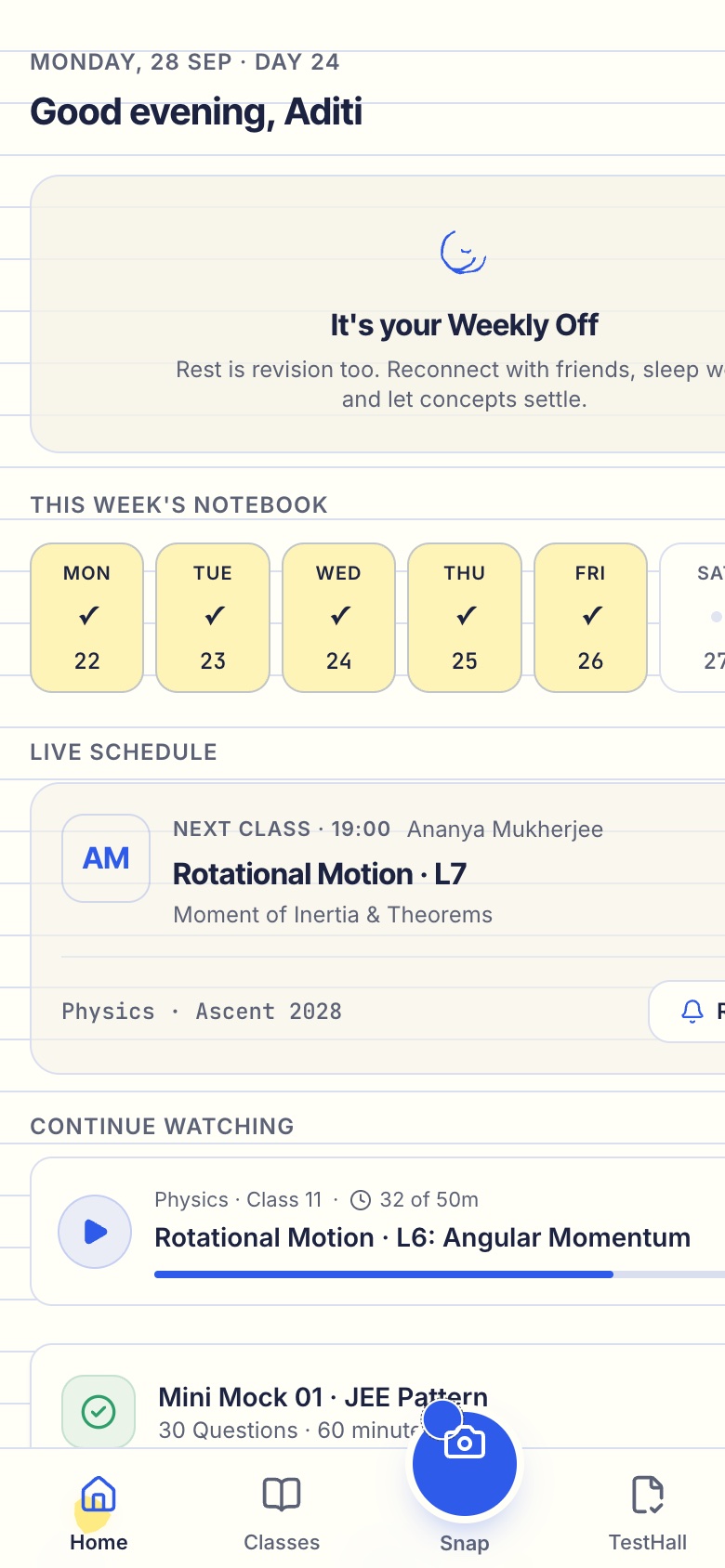
We built RankUp as a concept for JEE, NEET and board students: live classes, recorded lessons, online tests, parent view and offline-centre records in one system. It is a demonstration at a larger scale, not a product you can buy, and it does not replace a fee-collection licence, a payment gateway account or your own teaching. A small tuition centre would use only a slice of it: batches, attendance, tests and parent updates.
The Saral builds education apps and websites on request, from a simple parent-and-attendance app to a multi-branch system. If you have outgrown sheets, see our education app solution and school app pages, and read our school app guide for what to ask any vendor before you sign. For launch setup and costs, return to how to start a tuition centre.
More on starting a tuition centre
- Start hereThe full playbook →Models, licences, startup costs and the steps to your first customer.
- Go deeperWhat to buy →Desks, boards, a worksheet printer and a waiting area, costed, plus what to skip in year one.
- Go deeperWho to hire →Teachers, coordinator and evaluator in order, with per-batch pay, vetting tasks and contracts.
- Go deeperGetting customers →Admission calendar, demo weeks, first 10 students, launch fees and keeping students past exams.
Questions people ask
What software does a tuition centre need?
At minimum, a way to record attendance, track fee dues, store test marks and message parents. A spreadsheet, UPI payment links and WhatsApp Business cover that for up to roughly 80 students. Beyond that, a tuition or school-management app combines attendance, fees, marks and a parent view, and saves several hours a week for the coordinator.
Is there free software for running a tuition centre?
Yes, partly. Google Sheets and Forms, WhatsApp Business and a UPI QR code cost nothing, and some online test platforms and video tools have free tiers with limits. Paid apps add parent logins, automatic fee reminders and reports. Test any free tool with real data before trusting it, and confirm you can export your records.
How do I collect tuition fees online?
Use a UPI QR code for walk-in parents and a payment link sent in the reminder message for everyone else. A payment gateway or fee-collection app can also track dues and issue receipts. Check the transaction charges and settlement time, keep a numbered receipt for each payment, and ask your CA how GST applies to your fees.
When should a tuition centre build a custom app?
When off-the-shelf tools block something that costs money, such as several branches with different fee structures, teacher payouts calculated from batch fees, or hybrid classes with recordings you want to control. For a single centre under about 250 students, a subscription app is usually cheaper and quicker. Compare three years of subscription cost against the build.
Should tuition centres use WhatsApp groups for parents?
Groups are fine to start, but they get noisy and expose parents' numbers to each other. A WhatsApp Business broadcast list, one weekly update per family and a separate group only for announcements are tidier. Once you pass roughly 100 students, move attendance, marks and dues into an app so parents are not searching a chat history.