UPI payments · Fintech
Coinjar
Every rupee counts.
UPI payments for people and a soundbox-ready toolkit for shopkeepers.
The idea
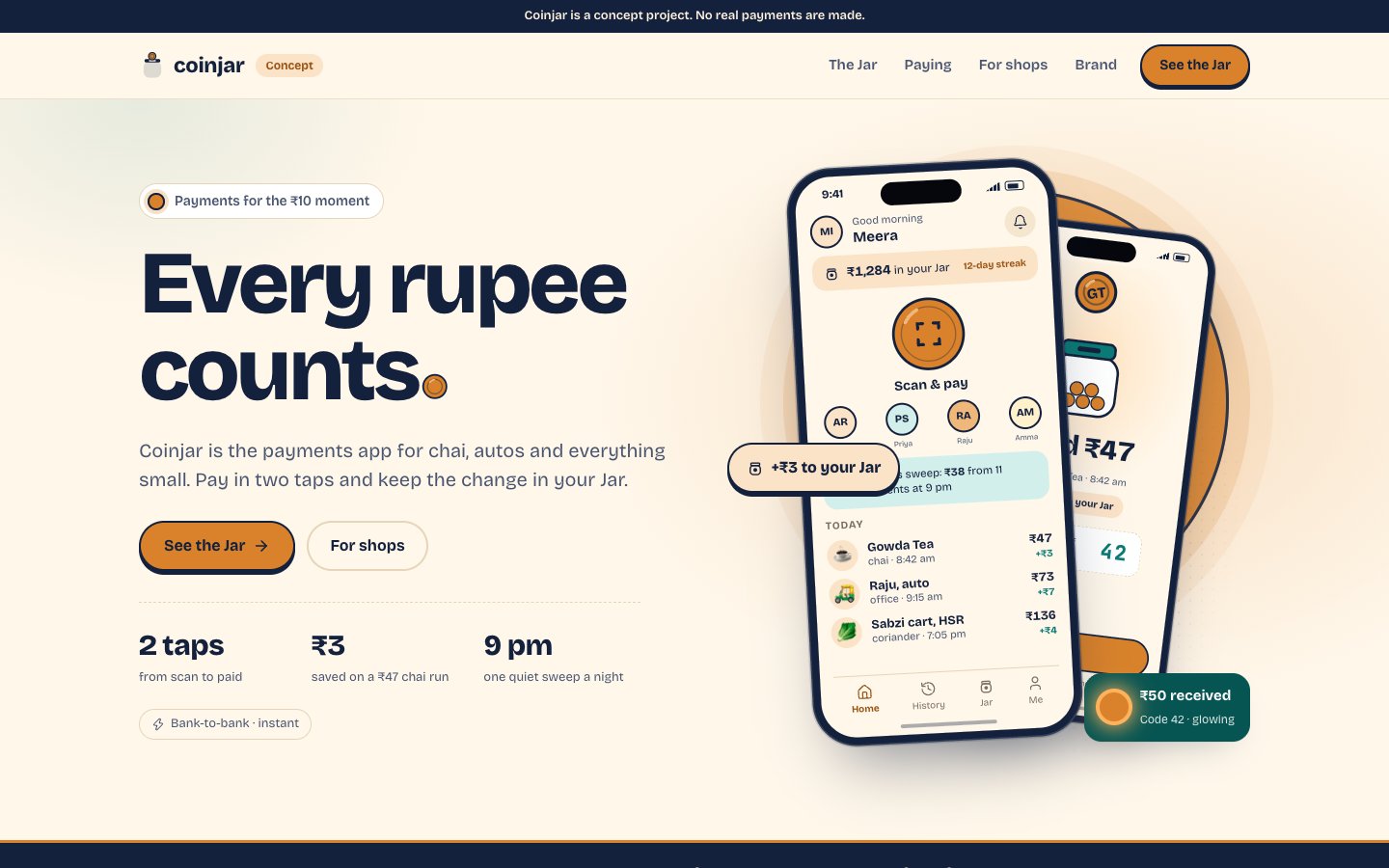
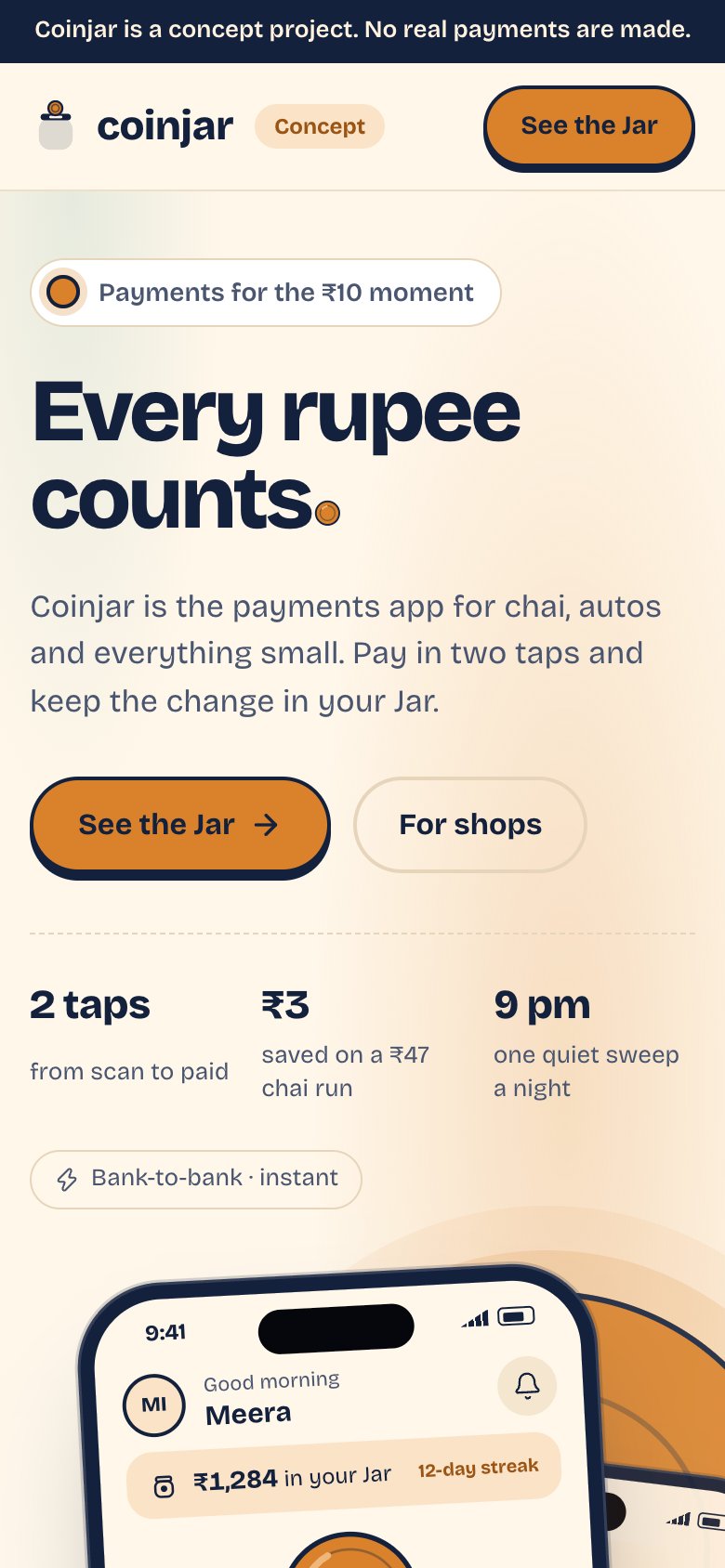
Makes small everyday micro-transactions (chai, auto rides, fresh produce) delightful. Features an automated round-up digital coin jar where leftover change from payments automatically accumulates into digital gold or liquid savings.
The merchant platform includes a simulated multi-language voice soundbox that reads out payment receipts in regional Indian dialects.
- 01
The Coin Jar
Satisfying coin-drop physics whenever an expense round-up lands into digital savings.
- 02
Soundbox Audio Sim
Realistic voice readout in Hindi, Marathi, and Tamil: “Coinjar par ₹40 prapt hue”.
- 03
Sub-second QR Pay
Zero-latency camera recognition optimized for crumpled stickers and dim night lighting.
The problem
Most daily UPI payments in India are small: chai, an auto ride, a bag of vegetables. At that size the payer rarely thinks about the money, and the shopkeeper on the other side often cannot confirm the payment without looking at a phone while a queue builds. Payment apps are crowded, so a new one needs a reason to be opened that is not just "send money".
Coinjar explores two answers. On the payer side, a round-off jar turns the leftover change on every payment into a small saving. On the shop side, a speaking payment device (called the Clinkbox in this build) announces each received amount aloud, and a field crew flow shows how shops would be signed up in person.
Who it is for
- Everyday payerScan, enter an amount, pay, and see what was spent. Split a bill with friends. Save without having to decide to save.
- Kirana or street-stall ownerGet a QR that works when crumpled, hear the amount without looking at a screen, and see the day's collections and who owes them on tab.
- Field crew agentOnboard a shop in one visit: capture owner, shop, bank and signature, hand over a QR kit, and see monthly targets.
- Studio client in fintechA reference for pay, request, split and merchant flows, plus the physical branding that sits around them.
What we built
Every side of Coinjar, live.
Each one opens the real build in a new tab. On a laptop the apps sit in a phone frame; on a phone they run full screen.
Hero QR scanner, UPI contacts tray, auto round-up savings jar, and bill payments.
Customer app
Hero QR scanner, UPI contacts tray, auto round-up savings jar, and bill payments.
Open /app ↗Daily settlement summary, soundbox audio settings, QR generator, and khata credit book.
Merchant app
Daily settlement summary, soundbox audio settings, QR generator, and khata credit book.
Open /merchant ↗Fintech Ops
PROD BUILDUPI switch latency dashboard, dispute resolution desk, and fraud telemetry.
Fintech Ops
UPI switch latency dashboard, dispute resolution desk, and fraud telemetry.
Open /ops ↗Website
PROD BUILDMerchant sign-up, zero-MDR advantages, device ordering, and developer API docs.
Website
Merchant sign-up, zero-MDR advantages, device ordering, and developer API docs.
Open /home ↗Brand book
PROD BUILDStreet-smart coin iconography, copper metallic finishes, and vernacular typography.
Brand book
Street-smart coin iconography, copper metallic finishes, and vernacular typography.
Open /brand ↗In detail
Surface by surface
Customer app · /app
The customer app is a phone-framed prototype with onboarding, a scanner, pay, request, split, bills, history, a jar screen, a pocket screen and notifications. The scanner uses the device camera through a QR library, offers a torch toggle, and also accepts a photo file. Paying walks through an amount pad, a confirm sheet, a simulated PIN step and a processing overlay, then a success or failure view.
Merchant app · /merchant
The merchant app shows today's collections, a live feed of incoming payments, a printable QR, and a settlements view. It also has a customer tab book (a khata-style list of who owes what, with a remind action), staff accounts, a weekly report, a plan page and the Clinkbox device screens: pairing, device settings and an order tracker. All of it runs on sample shops and sample customers.
Fintech Ops · /ops
The catalogue lists an ops console for switch latency, disputes and fraud telemetry. The app code does not include that screen: there is no operations route in the build, only the customer, merchant, crew and marketing surfaces. We say so here rather than imply a working back office.
Website · /home
The marketing site covers the jar, the Clinkbox, merchants, security, help and legal pages. Two interactive pieces carry the pitch: a savings calculator on the jar page and a monthly fee calculator on the merchants page. A Clinkbox simulator lets a visitor trigger a payment and hear the announcement.
Brand book · /brand
The brand section documents the coin-and-jar mark, the copper, teal, cream and navy palette, and the Bricolage Grotesque plus Noto Sans Devanagari type pairing. The same code generates printable kit items: an acrylic A6 standee, an A5 tent card, a 90 mm sticker, a door decal and an A4 sticker sheet, each as a PDF with the shop's QR placed on it.
Why it works this way
Design and product decisions
The jar has explicit rules, not a vague promise
The round-off step defaults to 10 rupees, only shop payments count by default, and the daily cap is 100 rupees with a 10 rupee minimum payment. Saving is skipped if it would leave the account under a 100 rupee buffer. A rules sheet in the app explains each skip reason, so the feature never takes money the user did not expect.
Say what the jar is not
The website states that jar money sits in a savings pocket with a fictional partner bank and is not digital gold or stocks. That keeps it a plain saving habit and avoids implying an investment product.
Audio first for the shop
The soundbox announcement matters more to a stall owner than any dashboard. Amounts up to 99,999 are composed from number clips in English or Hindi, with preset clips for common amounts such as 50 or 500. Other cases fall back to the browser's speech synthesis.
Refuse real payment QRs
The scanner parses the QR first and, if it looks like a real UPI payload, stops and opens a refusal sheet with demo QRs to try instead. A concept app that quietly accepted a live payee would be a safety problem, so the refusal is the first rule in the parser.
Engineering notes
Under the hood
Next.js with React, in a shared workspace
The app is a Next.js project using shared internal packages for UI, theme, seed data and simulation. Routes are split into a phone-framed prototype group, a marketing site group and a demo group.
Client state with safe storage
State lives in small zustand stores (accounts, transactions, jar, merchant, session, splits, crew) persisted to localStorage. A wrapper falls back to an in-memory store when storage is blocked, such as in a private window.
A simulated backend
The API layer in the code is a set of functions that wait 300 to 900 ms and return sample data, or return immediately with a fast flag in the URL. Banks, billers, contacts and shops are fictional records, and the fee numbers shown are from a concept fee model rather than a real rate card.
Local details
Built for India
UPI-shaped flows
Pay IDs take the form name@coinjar. Merchant QRs carry a code like CJ-ABC-1234 with an optional amount and a note capped at 40 characters. Amounts above 1,00,000 rupees in a QR are ignored. Money is stored in paise to avoid rounding errors.
Three interface languages
The UI ships in English, Hindi and Tamil, switchable from the merchant settings and the customer profile. Soundbox clips exist for English and Hindi, and Tamil speech uses synthesis. Other languages are named as future work in the types but are not built.
Fees modelled for small shops
The merchant fee calculator treats payments under 2,000 rupees as zero-fee and applies a capped percentage to larger ones, with a monthly device plan. It is a concept model for explaining a possible fee structure, not a statement of current rules.
What this is, and is not
Coinjar is a front-end prototype with sample data. There is no real UPI integration, no bank, no KYC, no ledger on a server and no actual device hardware; the Clinkbox is an on-screen simulation. Jar interest, fees and settlements are illustrative. The ops console described in the catalogue is not built. A production launch would need a regulated payment partner, a backend with audit logs, fraud and dispute tooling, device firmware and compliance review before any customer could use it.
Last updated 2026-11-07
Brand system
Building something like Coinjar? Let's talk.
We'll walk you through this build on a call and map what yours would need.