Investing · Fintech
Seedvest
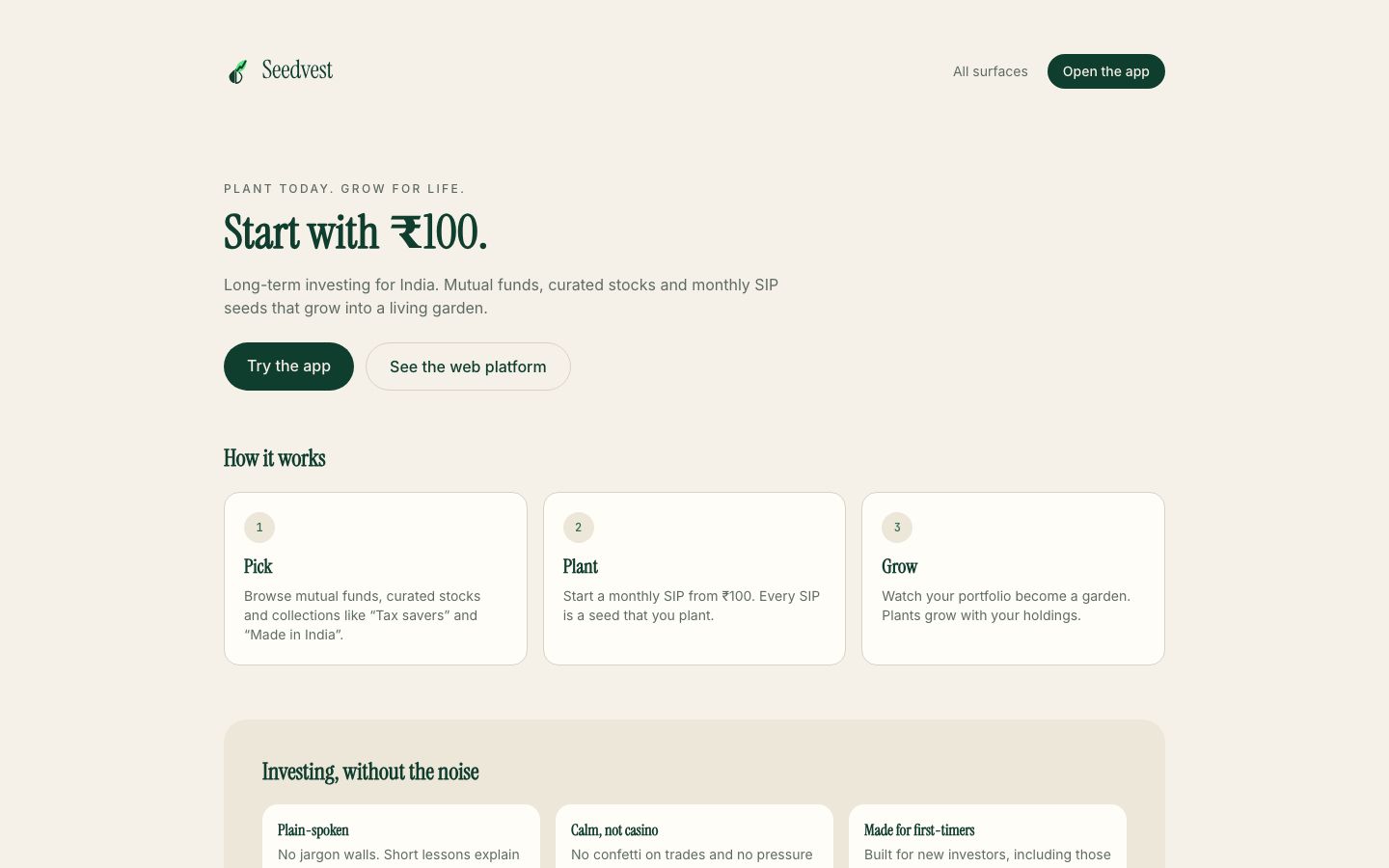
Plant today. Grow for life.
Investing for first-timers, where every SIP is a seed and your portfolio is a garden.
The idea
An investing app for first-time investors in India's tier-2 and tier-3 cities. Calm and educational rather than casino-like.
Every SIP is a seed you plant and the portfolio grows into a living garden. Alongside the mobile app sits Canopy, a dense keyboard-driven web trading platform, and Greenhouse for internal ops.
- 01
The garden
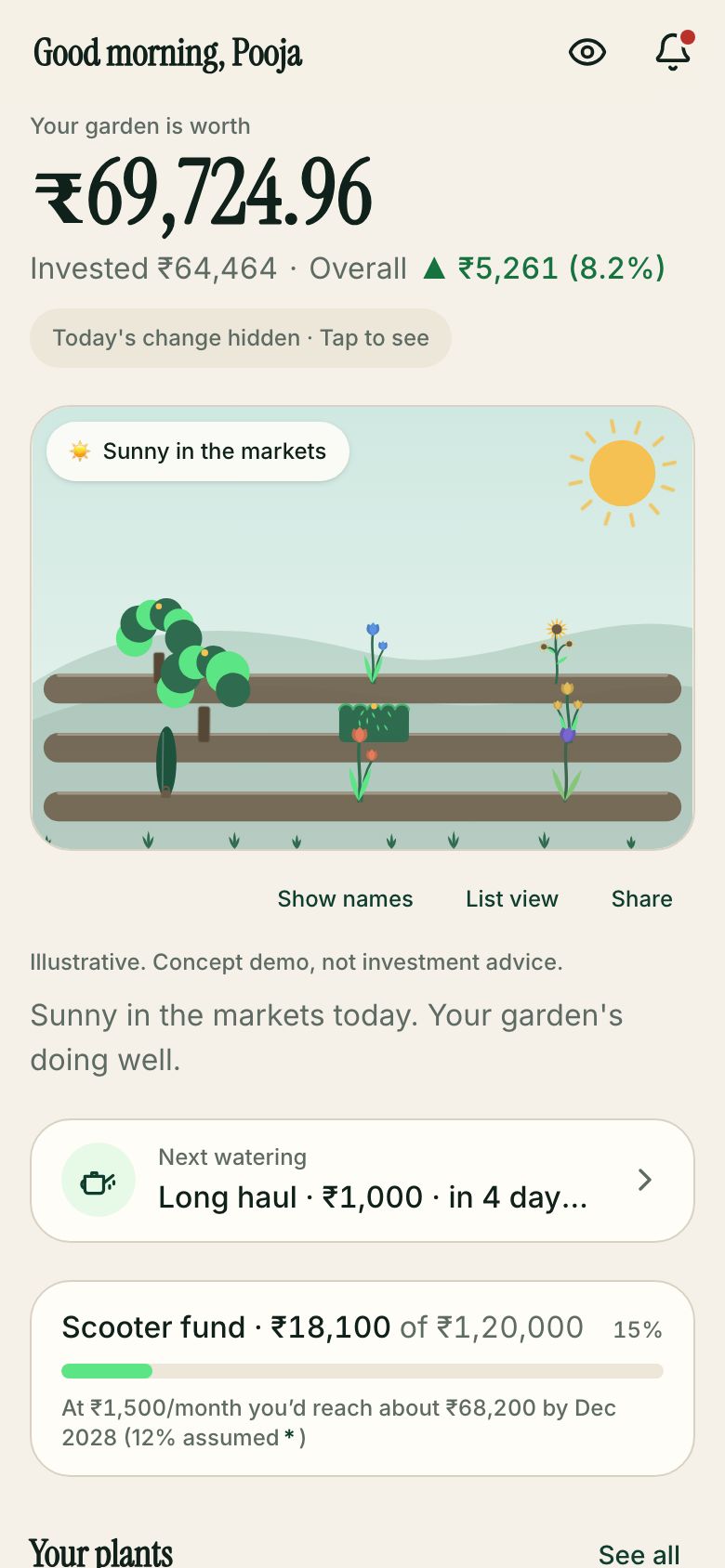
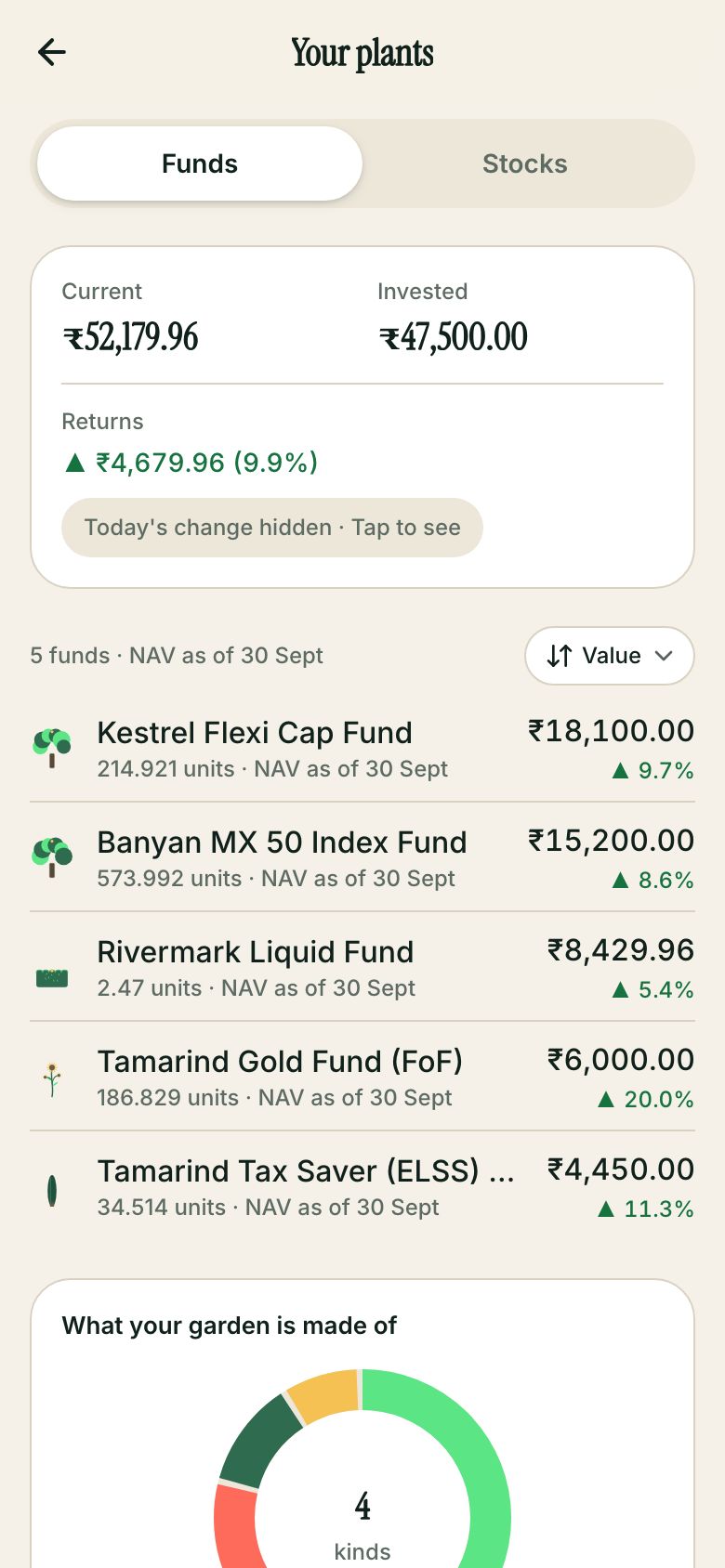
Each holding is a plant; size is value, and it wilts a little when down.
- 02
SIP projection
Drag the slider and a tree grows alongside the number.
- 03
Canopy
Proof we do dense, pro-grade UIs too.
The problem
A first-time investor outside the big metros often meets a trading app designed for people who already trade: candlestick charts, jargon, a charges page that needs a calculator, and a KYC flow that ends in a support ticket. The first Rs 100 is hard to put in, not because of the money but because of the fear of getting something wrong.
Two things have to be designed together. The investor needs a calm, honest first experience: small amounts, plain words, no promises. The company needs a back office that can verify identity, track SIP mandates and answer support tickets without hiding behind the app.
Who it is for
- First-time investorStart with a small SIP, understand what each charge is and finish identity checks without leaving the app.
- Active investorA desktop view with a chart, depth and keyboard shortcuts for placing orders quickly.
- KYC and investor-care staffA queue of pending verifications, SIP mandate health and support tickets in one console.
What we built
Every side of Seedvest, live.
Each one opens the real build in a new tab. On a laptop the apps sit in a phone frame; on a phone they run full screen.
Customer app
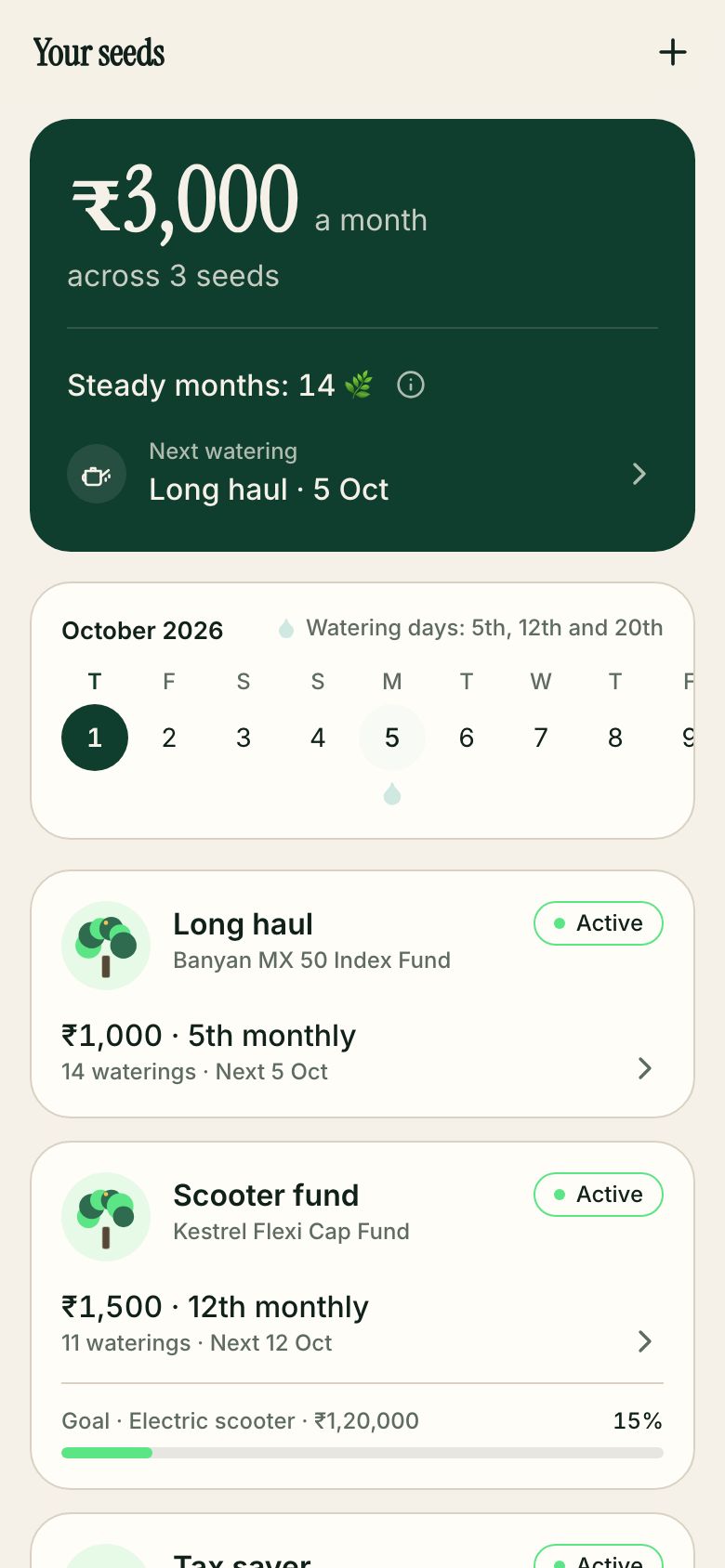
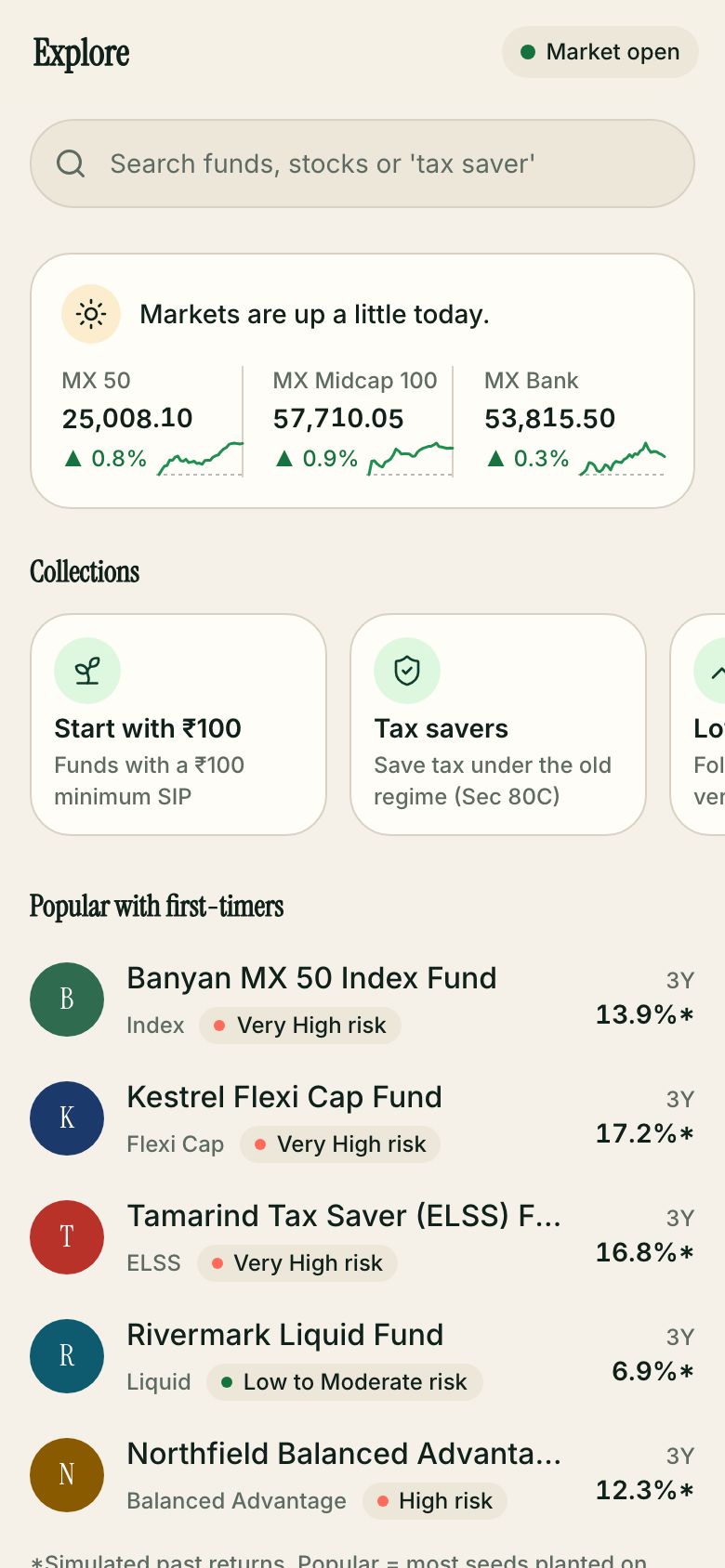
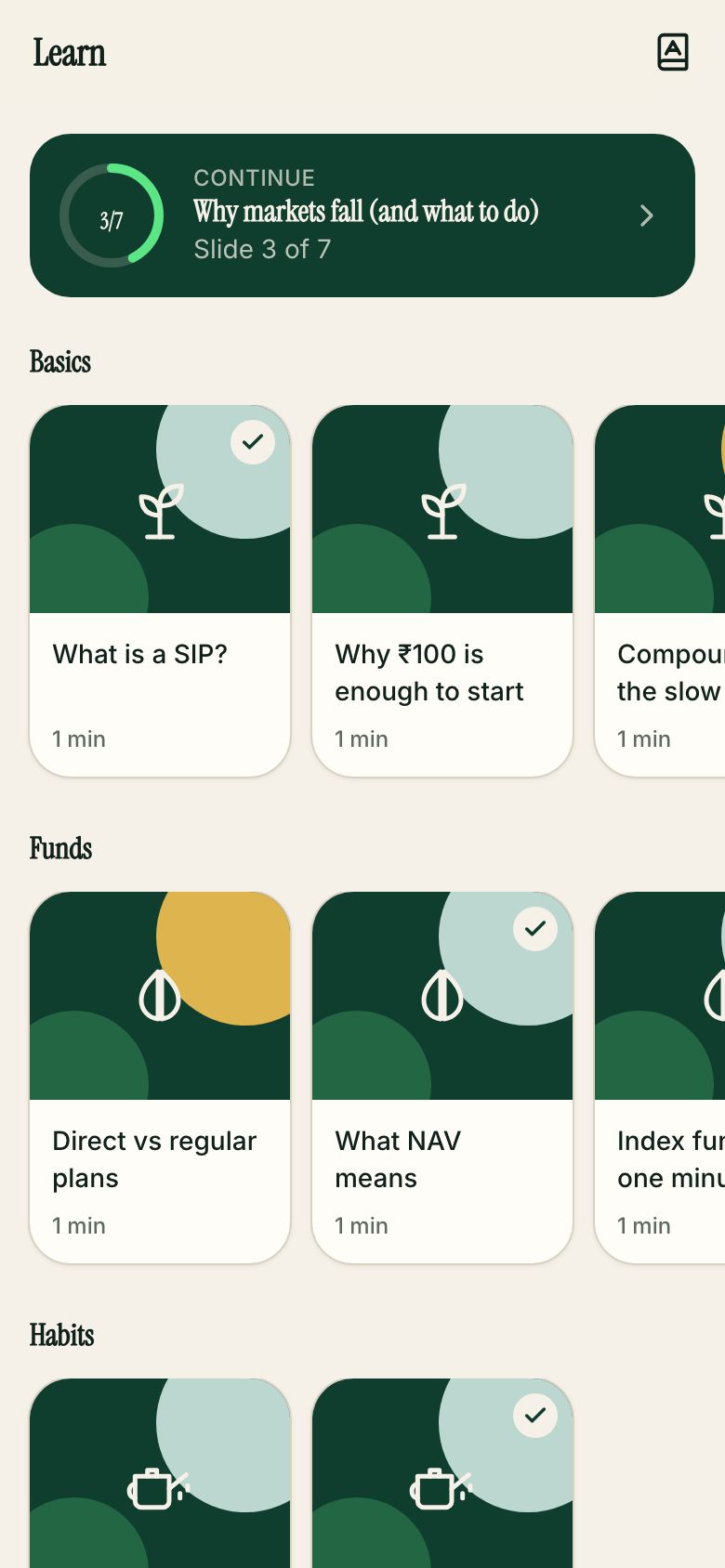
The garden, seeds (SIPs), explore, holdings and 60-second lessons.
Open /app/solutions ↗Canopy web platform
PROD BUILDCharts, depth and keyboard orders for serious investors.
Canopy web platform
Charts, depth and keyboard orders for serious investors.
Open /canopy ↗Greenhouse ops
PROD BUILDKYC, SIP mandates and care tickets.
Greenhouse ops
KYC, SIP mandates and care tickets.
Open /greenhouse ↗Website
Start with ₹100, pricing, calculators and a learn hub.
Open /website ↗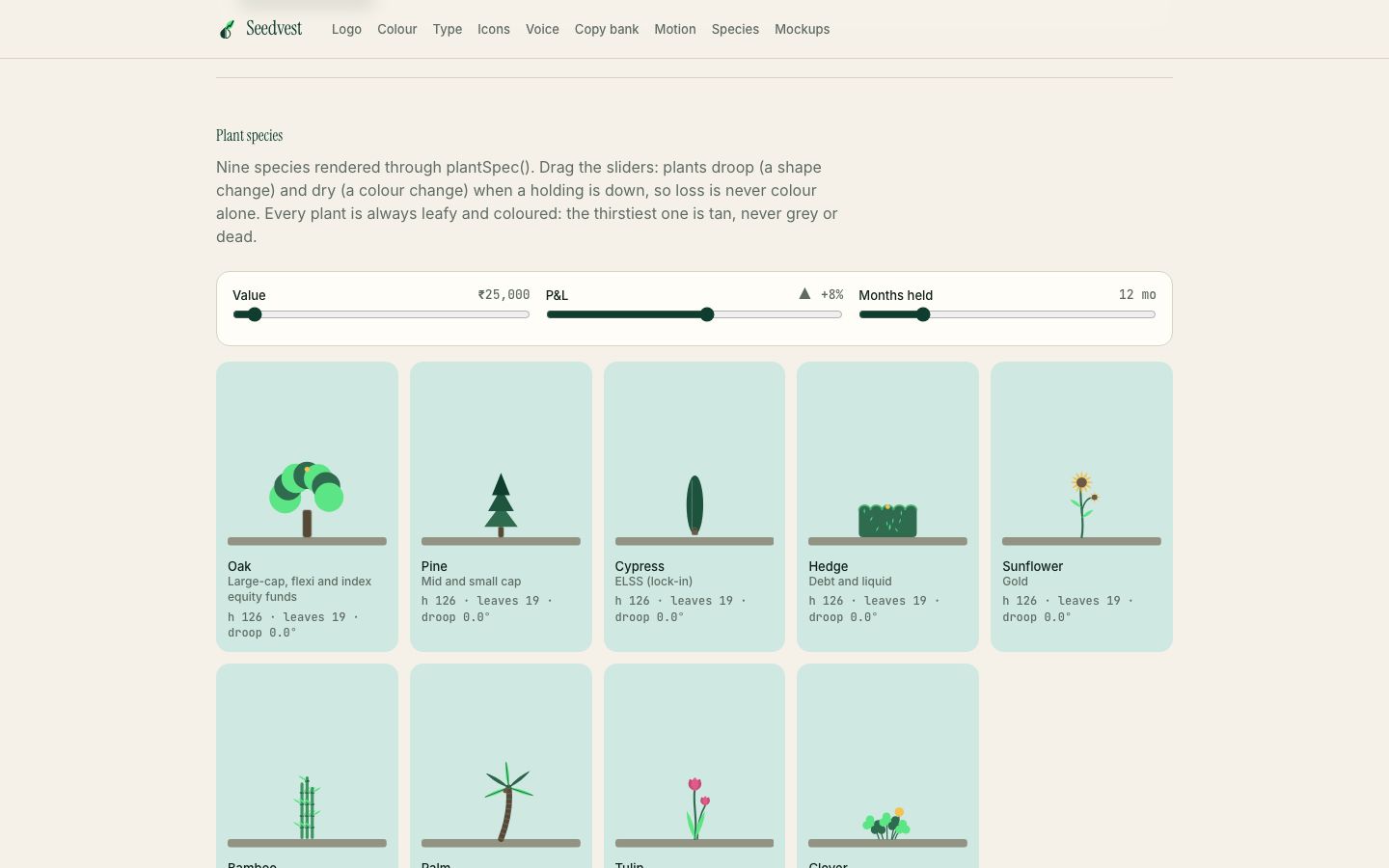
Brand book
Nine plant species, from Oak to Clover.
Open /brand ↗Synced demo
PROD BUILDApp, Canopy and Greenhouse on one simulation clock.
Synced demo
App, Canopy and Greenhouse on one simulation clock.
Open /demo ↗In detail
Surface by surface
Canopy web platform · /canopy
Canopy is the web platform for denser use. It has a chart panel, an order window, bottom tables, alerts, funds, portfolio and settings. The layout registers keyboard shortcuts: Alt plus T, Ctrl or Cmd plus K for a command search, a slash for search, a question mark for help, and B and S to start a buy or a sell when focus is not in an input.
Greenhouse ops · /greenhouse
Greenhouse is the staff console. It has a KYC queue with a detail drawer, SIP mandates and instalments, a care page for support tickets, a market page, a content feed and an audit trail.
Website · /website
The in-world website puts the Rs 100 start up front and covers pricing, stocks and mutual fund pages, SIP and calculator pages, a learn hub, safety, a status page and legal pages.
Brand book · /brand
The brand book is built around nine plant species, from Oak to Clover, each mapped to a type of holding. The same species vocabulary drives the garden art in the app, so the guidelines are visible in the product.
Synced demo · /demo
The synced demo runs the app, Canopy and Greenhouse on one simulation clock so a walkthrough can show the three surfaces moving together.
Why it works this way
Design and product decisions
Holdings as plants, with real data behind each one
Each holding becomes a plant. Height and leaf count grow with the current value on a log scale, while blooms (up to five), droop and dryness follow the holding's profit or loss, and a daily move and linked SIPs feed the rest. A watering flag marks a plant with an active SIP, and a paused or locked state is drawn too. The garden is not decoration; it is a second way to read the same portfolio for someone who finds tables intimidating.
Charges shown line by line
The charges function splits an order into brokerage, STT, exchange fee, SEBI fee, stamp duty, GST and, for delivery sells, a Rs 12 depository charge plus GST. Delivery brokerage is zero for the first 30 days of an account and is capped at Rs 10 afterwards. Showing every line before confirmation is the trust feature.
A SIP page that shows the maths and the caveat
The projection uses monthly compounding with an optional yearly step-up and can solve backwards for the monthly amount that reaches a target. An inflation adjustment (6 percent by default) converts the result into today's rupees. Showing both numbers pushes against the habit of quoting only the large future figure.
Compliance in the copy pipeline
A lint module lists banned promise phrases such as guaranteed, assured returns, risk-free, sure-shot and double your money, and allows them only in negative form such as no guaranteed returns. Tests check that disclaimers are present. A rule that fails a build is more reliable than a style guide.
Engineering notes
Under the hood
Front-end prototype with a simulated market
Next.js, React, zustand, zod and d3-shape, with shared workspace packages. There is no brokerage or exchange connection. Quotes come from a pure function of the instrument, the simulated time and a seed, with a precomputed 376-point intraday path per instrument, so any two windows agree on a price.
Market clock in Indian time
The calendar module defines pre-open at 09:00, open at 09:15, close at 15:30 and a NAV publish time of 21:30, and knows trading days. Order matching ticks against that clock, fills after 1.2 seconds and splits larger orders into partial fills above 500 shares.
SIP instalments tied to mandates
A SIP instalment checks that its mandate (UPI Autopay or e-mandate) is active and that the maximum amount covers the instalment, otherwise it fails with an expired-mandate reason, a state the staff console also lists. A retry-now path exists in the investor app.
Local details
Built for India
KYC the way it is done here
The steps follow the familiar order: PAN, Aadhaar with an OTP, selfie, signature, bank account, nominee and e-sign. The OTP is a fixed demo code and no ID service is called. The address reads like an Aadhaar record when none exists.
Indian charge stack and market rules
The charge model includes STT, stamp duty, SEBI turnover fee, exchange transaction charges and 18 percent GST on the taxable lines. Price bands, quantity freeze (10,000) and the intraday square-off time are modelled. The rates are illustrative and would need checking against current schedules.
Mutual funds, SIPs and Rs 100 minimums
Sample funds list a minimum SIP and lumpsum of Rs 100, and the website features a Start with Rs 100 tag. Funds are grouped by tree species (Oak, Pine, Cypress and others) rather than category names, with the regulator's risk label text kept in the legal copy.
What this is, and is not
This is a concept build, and the least suitable of the studio's builds to mistake for a real product. Prices, stocks, funds, NAVs, SIP mandates, KYC results and every figure on Canopy and Greenhouse are simulated sample data. The company, its policies and its complaint contacts are fictional. Nothing here is investment advice or a regulated service. A real launch needs a SEBI-registered entity or a partnership with one, a KYC registration agency integration, a bank and payments partner, exchange and depository connectivity, real mandate registration, audited charge schedules, grievance and data-protection processes, and a compliance function that signs off every screen.
Last updated 2026-11-07
More screens
Brand system
Building something like Seedvest? Let's talk.
We'll walk you through this build on a call and map what yours would need.