A single cafe needs a GST-ready restaurant POS first, then a UPI QR, then a way to track milk and beans against drinks sold. Everything else (loyalty, online ordering, rota) can start in WhatsApp Business and a spreadsheet. Pay for custom software only when a specific problem, such as five outlets or a bean subscription, outgrows the tools you can buy off the shelf.
Pick tools around the daily rhythm of a coffee bar: orders arrive in bursts, each drink has modifiers (size, milk, shots, syrup), the milk is the stock that vanishes fastest, and delivery apps add a second stream of orders. Test any POS on a real Saturday morning rush before you commit.
What a cafe's software has to do, in one working day
| Moment | What happens | What the tool must handle |
|---|---|---|
| 8:00 am rush | 20 orders in 10 minutes, each with size, milk and extras | Fast item buttons, modifiers, a kitchen or bar ticket printer or screen |
| Counter payment | Cash, UPI QR, cards, split bills | A bill with GST and the right tax on each item, and payment mode reports |
| Online and app orders | Swiggy, Zomato or WhatsApp orders arrive in the same rush | Orders pushed into the same screen so the barista sees one queue |
| Afternoon | Slow hours, offers and loyalty | Discounts by time, a stamp or points system, customer notes |
| Close | Counting cash, comparing sales with stock used, wastage log | End-of-day report, item-wise sales, cash reconciliation, wastage entry |
| Weekly | Ordering beans, milk and bakes; rota; payroll prep | Stock levels and reorder points, supplier list, shift attendance |
Week one: the cheapest set that works
Many first-time owners over-buy. For a single cafe with one or two billing counters, you can begin with a few inexpensive tools and graduate later.
- A restaurant POS with GST billing. Look for item-wise tax rates, modifiers, table or token billing, a kitchen order ticket (KOT) printer and a thermal bill printer. Petpooja, Restroworks (formerly Posist), Torqus and Vyapar are examples used in Indian restaurants; Loyverse and Zoho are also used. We have not verified current pricing or features, so test two on your own menu.
- A UPI QR on the counter and a soundbox if volume is high, from your bank or a payment provider. Reconcile the UPI total with the POS at close. See our guide to UPI payments in your app for how it works behind the scenes.
- Google Business Profile and WhatsApp Business for hours, menu, location, and quick replies; free.
- A Google Sheet for stock and wastage, with one tab for daily milk, beans and bakes, and one for supplier prices.
- A shared Google Calendar or sheet for the rota.
Our GST billing software guide lists what to check when you compare billing tools. Food service GST rates depend on the type of business and on whether you are in a hotel; confirm the correct rate and registration requirement with a CA.
Stock that tracks milk and beans, not just boxes
The usual reason a cafe's margin disappears is the waste you cannot see: milk over-steamed, shots dumped while dialling in, bakes unsold, cups taken home. Software helps only if it connects sales with ingredient use.
- Recipe costing: each drink is a recipe (18 g beans, 200 ml milk, a cup and lid). A POS with recipe-level stock deducts these as you sell, so a drop in milk stock without a matching sale shows up.
- Daily counts: count milk, beans and bakes at close. In a sheet, record opening stock, purchases, closing stock and sales; the difference is wastage.
- Par levels and reorder alerts: set a minimum for beans (two days), milk (one day) and cups, and an alert when you fall below it.
- Supplier price history: a price change on milk or beans should change your menu price on a schedule, not by accident.
- Wastage log: one line per spoiled or dumped item with a reason; over a month it points to the real problem.
- Expiry labels: for milk, syrups and bakes, a simple dated label system beats any software.
Recipe-level tracking needs discipline at the counter. If the barista has no time to select the right milk, the data will be wrong. Start with the 10 best-selling drinks, not the whole menu.
Orders from outside: pre-orders, delivery apps and loyalty
Once the counter works, the next gain is taking orders before people arrive and giving them a reason to return.
| Need | Cheapest start | When to move up |
|---|---|---|
| Pre-order for nearby offices | WhatsApp Business catalogue with a morning cut-off time | More than about 30 pre-orders a day, or repeat mistakes in the chat |
| Swiggy and Zomato orders | Their partner apps and tablets | When several tablets crowd the counter, ask your POS whether it integrates with the aggregators |
| Own ordering link | A QR menu or ordering page from a restaurant tool or your POS | When you want to avoid commissions and own the customer list |
| Loyalty | Paper stamp card or a simple points feature in the POS | When you want automated reminders and birthday offers |
| Bean subscription | Manual: a form, a payment link and a monthly spreadsheet | When you have dozens of subscribers or shipping runs |
Our guide to restaurant online ordering compares marketplace commissions with ordering on your own page, and WhatsApp for business explains catalogues and automation.
People, attendance and the books
- Attendance and rota: a shared sheet or a staff app that records check-in and shift swaps. Match it with the pay register at month-end. See who to hire for shift ideas.
- Accounting: export POS sales into Tally, Zoho Books or Busy for GST returns and a P&L, or send the daily summary to your CA. Keep supplier invoices in one folder.
- Cash control: a daily cash count signed by two people, and a sheet that compares POS cash to the till.
- Backups and access: keep staff on separate logins with limited rights; owners see reports, discounts need manager approval.
- Data privacy: if you collect phone numbers for loyalty, store them carefully and get consent; the DPDP Act checklist explains the basics.
When custom software pays, and what it would cover
Off-the-shelf POS and WhatsApp serve one cafe or a few well. Custom work is worth a quote when you have a repeated problem the tools cannot fix, and when saving the time or capturing the sales is worth more than the build.
| Situation | Why off-the-shelf struggles | What custom might cover |
|---|---|---|
| A roastery cafe with online beans and subscriptions | Retail stores handle shipping, but recurring grind-size and roast preferences are awkward | Subscription store with grind and roast options, pause and skip, batch labels and delivery runs |
| Three or more outlets with a central kitchen | Stock and transfers between outlets are manual in many POS plans | Central stock, transfers, outlet dashboards, purchase approvals |
| Pre-order for large office parks | Chat orders break down at volume | Slot-based ordering by floor, payment links and a pickup counter display |
| A loyalty programme you want to own | App-store loyalty gives you little control | Your own wallet, tiers, WhatsApp reminders and reports |
| Events and workshop bookings | Ticketing tools do not link with your bar capacity | A booking page with capacity, payments and reminders |
If none of those fit, keep paying a monthly POS fee. Ask any developer for a fixed quote and a written scope, and see our website cost guide and choosing an app development company.
Where the Brewmont concept and The Saral fit
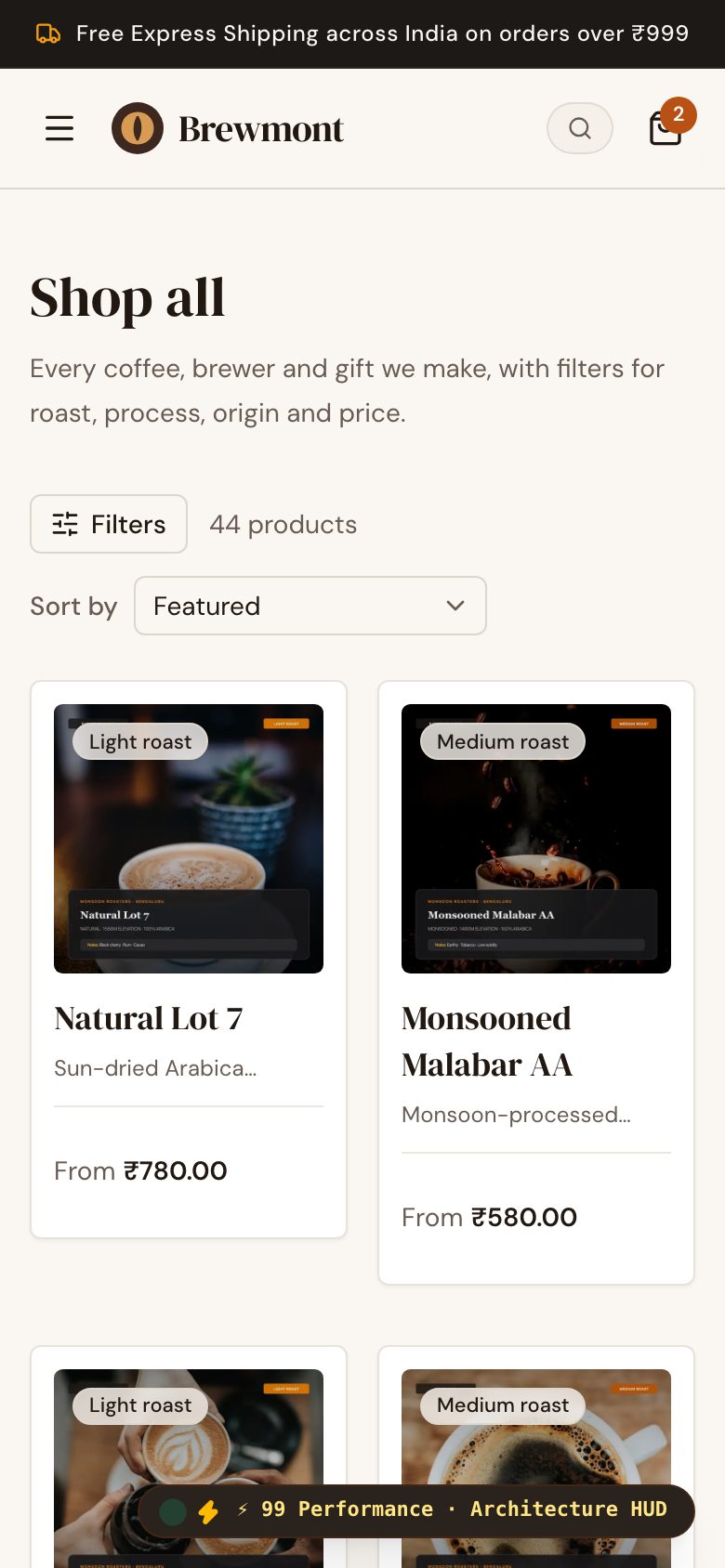
Brewmont is a concept build we made: a coffee storefront with brew guides, a brew-ratio calculator and a tasting-flight gift box. It shows what the online side of a roastery cafe could look like. It is a design and front-end concept, not a POS, stock system or live shop, and it does not do billing or inventory.
The Saral builds websites, ordering pages and custom apps for businesses like this. If you hit one of the custom situations above, get in touch with your menu, outlets and current tools; a cafe website or billing app is usually the starting point. Until then, a good POS and a disciplined stock sheet will take you a long way.
More on starting a cafe
- Start hereThe full playbook →Models, licences, startup costs and the steps to your first customer.
- Go deeperWhat to buy →Espresso machine, grinders, water, fridges and smallware, costed, with what to rent and what to skip.
- Go deeperWho to hire →Head barista, counter, kitchen and cleaning roles in order, with pay, trade tests and shift rules.
- Go deeperGetting customers →Maps, office runs, launch pricing, a loyalty card and quiet-hour events that turn visits into habits.
- Go deeperFinding suppliers →Roasters, milk, bakes, packaging and equipment dealers: where to find, test, negotiate and back up.
Questions people ask
What is the best POS for a cafe in India?
There is no single best; test two or three on your own menu during a real rush. Check GST billing, modifiers for milk and size, a KOT or bar printer, UPI reconciliation, aggregator integration and reports. Petpooja, Restroworks, Torqus and Vyapar are examples used by Indian restaurants. We have not verified current pricing or features.
Do I need a POS or is a billing app enough?
A cafe with modifiers, a kitchen or bar queue and delivery-app orders needs a restaurant POS, not a retail billing app. If you only sell a few fixed items at a counter, a simple GST billing app works. Choose based on whether you need table or token flow, KOT printing and recipe-level stock.
How do I track milk and bean wastage?
Count milk, beans and bakes at close, and compare them with what the POS says you sold using your recipes. The gap is wastage. Log spoiled or dumped items with a reason each day. A sheet does this for a single cafe, and a POS with recipe-level stock automates it once your recipes are set.
Can I take pre-orders without building an app?
Yes. A WhatsApp Business catalogue with a morning cut-off, or a QR menu with ordering from your POS, handles pre-orders for nearby offices. Add a payment link if you want advance payment. Consider a custom ordering page only when pre-orders exceed what chat can manage or you want a branded, commission-free flow.
When should a cafe build custom software?
When a specific job costs more time or sales than a quote would, such as a bean subscription store, central stock for three or more outlets, or office-park pre-ordering. A single cafe rarely needs it. Ask for a fixed quote and a written scope, and compare it with a monthly POS fee and the manual work it removes.