Start with a Google Sheet for batches and attendance, a UPI QR or payment link for fees, a Google Form for trials and a WhatsApp group per batch. That is free or close to it, and it works for the first 40 to 60 students. Add a fee-tracking and booking tool when you spend an evening a week chasing payments, and consider a custom app only when you run several branches or a few hundred students.
The jobs a dance academy needs software for are narrower than most people think: who is in which batch, who has paid for which month, who attended, which costume has been paid for and what each instructor is owed. Most of the cost of getting this wrong is the owner's time.
What a dance academy actually has to track
A dance academy is not a gym. A gym sells access to a space and counts visits. An academy sells a seat in a batch, taught by a person, over a term, with a show at the end. The data reflects that.
| Thing to track | Why it is awkward | What the software must do |
|---|---|---|
| Batches and levels | A student belongs to a batch, a style and a level, and moves up at different times | Batch rosters with level and age group; easy moves between batches |
| Attendance and make-ups | Children miss classes for exams and travel; many academies allow make-ups | Per-class attendance, a make-up count and a limit |
| Monthly fees and due dates | Dues start from the month the student joined, not the 1st; siblings get discounts | A due date per student, discount rules, partial payments |
| Show and costume payments | Money collected once a year, per child, per item | A separate fee line per event and a list of who has not paid |
| Instructor payouts | Per session, salary or revenue share, mixed within one academy | A monthly statement per teacher based on attendance and batch fees |
| Trials and enquiries | Parents ask on WhatsApp, Instagram and phone | One list of enquiries, a trial slot and a follow-up date |
| Rehearsals and show scheduling | Dozens of children, multiple items, costumes and a hall | A rehearsal calendar per item and a list of who is in which item |
| Consent and child data | Photos, ages, parents' phone numbers and medical notes | Controlled access and consent records |
Check any tool against this list. A generic membership app will do the first four well and the last four badly.
Stage 1: sheets, forms, UPI and WhatsApp (up to about 60 students)
Use tools you already know and keep the system small enough that you or your front desk can update it in five minutes after class.
| Job | Use | How to set it up |
|---|---|---|
| Batch rosters and attendance | Google Sheets | One tab per batch with names, parent phone, level and a column per class date; one student per row |
| Fee tracking | Google Sheets | A tab with each student, monthly amount, joining month, and a column per month; conditional formatting for overdue |
| Trial bookings and admissions | Google Forms linked to a sheet | A form asking child's age, style, preferred batch and parent phone; consent for photos as a tick box |
| Fee collection | UPI QR at the desk, or UPI or Razorpay or Cashfree payment links | Share a link on WhatsApp on the 1st; record each payment in the fee tab the same day |
| Batch communication | WhatsApp Business app | A group per batch for parents; a broadcast list for show dates; labels for enquiries, trial booked and enrolled |
| Posters, timetables, show programmes | Canva | A timetable template with your branding; exportable images for WhatsApp status and Instagram |
| Show planning | Google Sheets | A tab per item with the song, the dancers, the costume, sizes and payment status |
- One master sheet, one owner, one version. Most mix-ups come from three copies with three sets of edits.
- Keep student data tidy: a parent's phone is the key, not the child's name, because two Aarohis are common in one batch.
- Limit who can edit. Instructors should mark attendance; only the owner or front desk edits fees.
- Name the receipt: send a simple UPI receipt or a PDF so parents have a record.
Stage 2: off-the-shelf tools (about 60 to 250 students)
You will know you have outgrown sheets when you cannot say on the 15th how much of the month's fee is outstanding, when siblings and make-ups break your formulas, or when a parent asks for a receipt that you have to build by hand.
| Need | What to look for | Examples to evaluate |
|---|---|---|
| Class and membership management | Batches, attendance, recurring fees, INR and UPI, parent app or WhatsApp reminders | Studio and gym management tools sold in India; global studio platforms such as Mindbody are another category, but check INR, UPI and pricing |
| GST invoicing and receipts | GST-ready invoices, recurring invoices, payment tracking | Zoho Books or Zoho Invoice, Vyapar, Refrens; see our GST billing software guide |
| Payments and reconciliation | UPI links, autopay mandates for recurring fees, receipts | Razorpay, Cashfree or your bank's links; see UPI payments in an app |
| Enquiry tracking | Pipeline stages, reminders, WhatsApp-friendly | Zoho CRM, HubSpot's free tier, or an Airtable or Notion base |
| Website with booking | Timetable, trial booking form, Google profile link | A simple site on a website builder, or a custom one; see our business website page |
| Video and consent storage | Private folder for class clips with permissions | Google Drive with shared folders by batch |
- Run the tool in parallel with the sheet for one month before switching, and compare the fee totals.
- Ask whether parents must install an app. Many will not; a tool that works through WhatsApp reminders and a payment link has better adoption.
- Check how it handles recurring dues and autopay. Missed monthly fees are the real leak in academies.
- Ask your CA about GST treatment of fees, show charges and costume pass-throughs before choosing an invoicing tool, and about TDS if you pay teachers as contractors.
- Check the data terms. You are holding children's names, ages and phone numbers; see our DPDP checklist for apps.
Instructor payouts and show money: the part tools miss
Most off-the-shelf tools stop at student fees. The two places where academies lose money, teacher payouts and show collections, usually stay in a sheet. That is fine, if it is a well-built sheet.
| Sheet | Columns | Rule |
|---|---|---|
| Instructor payout | Instructor, batch, sessions taught this month, rate or share, amount, paid on | Pay from attendance records, not memory; settle by the 7th |
| Revenue share batch | Batch, students, fees collected, share percent, amount due | Compute from fees actually received, and say so in the agreement |
| Show collection | Student, items, costume fee, size, amount paid, date | Close collection a fixed number of weeks before the show |
| Costume order | Item, tailor, quantity by size, advance paid, delivery date | One order per item; hold payment until sizes are confirmed |
| Rehearsal calendar | Date, item, dancers called, hall, teacher | Share with parents on WhatsApp and pin the latest version |
Payouts to teachers may involve TDS or other statutory points depending on how they are engaged. Ask a CA to set the structure once, then follow it each month.
When custom software starts to make sense
Custom software is an investment in a repeated process, and it needs an owner. Weigh it against your actual size.
| Signal | What it suggests |
|---|---|
| You have more than 200 active students or more than one branch | Sheets and a generic tool cannot give you a single view of fees and attendance |
| Parents keep asking for the timetable, fee status and show dates | A parent app or portal with batches, fees and notices would cut messages |
| Instructor payouts are a monthly dispute | Attendance-driven payout reports remove arguments |
| You run online and in-person batches together | One booking and payment flow for both |
| You sell packages, workshops and camps online | A booking and payment flow with receipts is worth building |
| The academy is a brand with franchise ambitions | A branded app and a consistent process across branches |
If none of these apply, stay on Stage 2. A custom build also needs ongoing money for fixes and changes; our app maintenance cost guide and app development cost guide explain what to expect, and the gym and fitness app guide covers the closest category of off-the-shelf and custom products.
What a custom academy app would cover
| Surface | Who uses it | Core features |
|---|---|---|
| Parent and student app | Parents, adult students | Timetable, trial booking, fee payment with UPI, receipts, attendance history, show dates, rehearsal calendar |
| Instructor app | Teachers | Class list, one-tap attendance, level notes, practice videos, a monthly payout view |
| Owner's console | You and your front desk | Batches and capacity, fees due, enquiries, show collections, reports |
| Public site | New families | Styles, timetable, teacher pages, trial booking and a Google profile link |
- UPI and autopay, since fee collection is the biggest daily job.
- WhatsApp reminders because parents live there.
- Regional languages if your families prefer Hindi, Marathi, Tamil, Bengali or others.
- Child-data controls: parents' phones, ages and photo consent are personal data.
- Roles and permissions: a teacher sees only their batches; a parent sees only their child.
A concept to look at: Groundwork
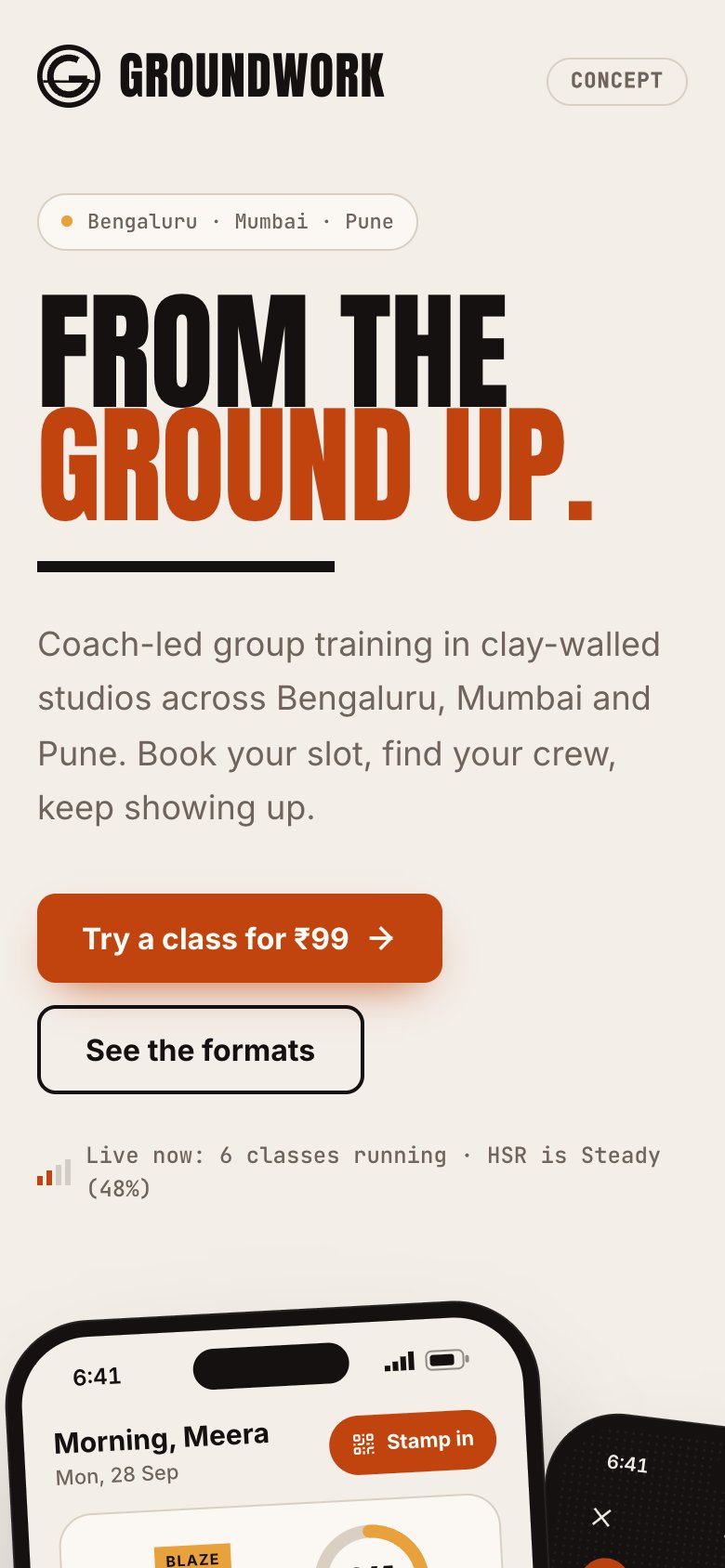
We built Groundwork as a concept product for fitness studios: class schedules, memberships, a member app and a trainer app. It was designed for gyms and studios, not dance, so it does not know about levels, costumes or show rehearsals. Class booking, membership fees and trainer attendance map onto dance batches and instructors, and you can click through it and read the Groundwork case study to see how the member and trainer sides fit together.
It is a demonstration of what we would build, not a tool to buy off the shelf. If something like it fits your academy, our fitness app page covers features and cost drivers.
Open Groundwork to try the concept build. If you want a version for your own academy, send a brief and we will quote it.
A sensible path
| Stage | Students | Tools | Typical monthly spend (estimate) |
|---|---|---|---|
| 1 | Up to about 60 | Sheets, Forms, UPI links, WhatsApp Business, Canva | Under ₹1,000 |
| 2 | About 60 to 250 | A class and fee tool, GST invoicing, a CRM or sheet for enquiries | ₹2,000–10,000 |
| 3 | 250 or more, or several branches | A custom parent and instructor app on top of your own process | Build cost plus maintenance; ask for a fixed quote |
Switch tools in a quiet month, not the month before the annual show, and never in the middle of fee collection.
More on starting a dance academy
- Start hereThe full playbook →Models, licences, startup costs and the steps to your first customer.
- Go deeperWhat to buy →Floor by style, mirrors, sound and classical gear, costed, plus what to skip at the start.
- Go deeperWho to hire →Instructors, accompanists and a front desk: pay models, child-safety vetting and keeping teachers.
- Go deeperGetting customers →Schools, societies, trial classes, reels, pricing and wedding choreography, step by step.
Questions people ask
What software does a dance academy need in India?
Start with Google Sheets for batches, attendance and fees, a Google Form for trials, UPI links for payment and a WhatsApp group per batch. As you grow past roughly 60 students, add a class and fee tool and GST invoicing. Custom software makes sense for several branches or a few hundred students.
Can I run a dance academy on Google Sheets and WhatsApp?
Yes, for the first 40 to 60 students. Use one sheet per batch for attendance, a fee tab with joining month and due dates, and UPI links shared on a fixed day. Keep one owner for the sheet. Move to a tool when chasing fees takes an evening a week.
How do I collect monthly dance fees without chasing parents?
Send a UPI payment link or QR on a fixed day, a reminder a few days before the due date and an automatic receipt. Offer a quarterly option with a small discount. Autopay mandates through a payment provider can help, but check the provider's current terms and parents' comfort with them.
Do I need a custom app for my dance academy?
Usually not. Sheets and off-the-shelf tools cover most academies well past their first hundred students. A custom app is worth considering with more than 200 students, several branches, online and in-person batches together, or when instructor payouts and parent questions take up real time every month.
How should a dance academy handle children's data?
Collect only what you need, such as the child's name, age, parent's phone and photo consent, and keep it in a controlled sheet or tool with limited access. Get parents' consent before posting photos or videos of children. Read the DPDP checklist and ask a lawyer how the data protection law applies to you.