A gym needs software for five jobs: knowing who is a member and when the plan ends, letting only paid members in, billing with GST and UPI, tracking personal-training sessions, and reminding people to come back. Under about a hundred members, a spreadsheet, UPI and WhatsApp cover all five. Past two hundred members, or a second branch, buy ready-made gym management software before thinking about a custom app.
The mistake is buying the app first and the habit later. A member app does not fix a gym that doesn't call absent members. This page walks through each job, the cheapest tool that handles it, and the point at which custom software starts to pay. For the rest of the plan, see the gym starting guide.
The five jobs a gym's software has to do
| Job | What goes wrong without it | What it needs to record |
|---|---|---|
| Membership and renewals | Expired members still enter; renewals are chased too late | Plan, start and end date, freeze days, payment, balance due, assigned trainer |
| Door access | Shared passes, tailgating, a manual register that no one trusts | Valid or expired status at the door, check-in time |
| Billing and GST invoices | Cash that doesn't match the register; corporate clients rejecting bills | Invoice number series, GST on the service, payment mode, receipts |
| PT sessions | Disputes over sessions done and trainer payouts | Package, sessions bought and used, expiry, trainer, signed-off dates |
| Follow-up and reminders | Dropped members go unnoticed until renewal | Last attendance date, due-date list, message history |
Optional jobs come later: class bookings with capped slots, equipment maintenance logs, diet and workout plans, a member app, and trainer payroll. Add them only when you feel the pain.
Up to about 100 members: a spreadsheet, UPI and WhatsApp
One well-built Google Sheet is enough for a few months. Do not waste money on software before the shape of your business is stable.
- Members sheet. One row per member: name, phone, plan, start date, end date, fee, payment mode, trainer, last visit. Use a formula to colour rows that expire in the next 14 days.
- Attendance. A paper register at the door is acceptable at this size; a sheet with a daily tab works if the front desk fills it. Do not skip it: the 'who hasn't come in ten days' list drives your retention.
- PT ledger. A separate tab with package, sessions bought, sessions done (with the member's initials or a WhatsApp confirmation) and expiry.
- Billing. Accept UPI and card; a simple invoicing app or a Google Sheet invoice template can issue numbered receipts. Once you are registered for GST, use a tool that produces compliant invoices; our GST billing software guide explains what to look for.
- WhatsApp Business app. Free, with a catalogue, labels and quick replies for 'renewal due' and 'we haven't seen you'. Keep a broadcast list for each batch, and message only people who have agreed to hear from you.
- Backups and access. Keep the sheet in a business Google account with two owners, not on one person's phone.
GST rates on gym memberships and equipment have changed in recent years, and sources differ on the current rate and on input tax credit. I haven't verified the notification text; confirm the rate and invoicing rules with your CA before you set prices or issue invoices.
100 to 500 members: ready-made gym management software
When the sheet slows down (renewals missed, duplicate names, two people editing at once), move to a purpose-built membership system. Many Indian and international products exist; shortlist two or three and run a trial with a copy of your real members.
| Feature to compare | Why it matters | Ask the vendor |
|---|---|---|
| Membership plans, freeze and transfer | Real gyms have freezes, add-ons and mid-plan upgrades | Can I model my plans without a workaround? |
| Check-in and door devices | Biometric (fingerprint), face recognition, RFID cards or QR passes each have different cost and failure modes | Which devices work with it, and what happens when the device or internet is down? |
| GST invoices and payment links | Cuts manual billing and matches the bank | Does it number invoices correctly, support UPI links and reconcile payments? |
| Renewal and absence reminders | The retention engine | Can I trigger a WhatsApp message on 'no visit for 10 days' or 'ends in 14 days'? |
| PT session tracking and trainer payouts | Stops disputes and speeds up payroll | Can it expire packages and calculate commission? |
| Class booking and waitlists | Needed for studios with capped batches | Can members cancel and can no-shows be recorded? |
| Export of your data | Switching vendors later without losing history | Can I export members, payments and attendance in CSV at any time? |
- Door devices. Fingerprint scanners struggle with sweaty or chalked fingers, and shared biometric devices raise privacy questions. Face recognition and QR or RFID cards work better in many floors, but the right choice depends on your members. Ask for a two-week trial.
- Payments. A recurring UPI mandate (UPI AutoPay) or a card subscription reduces missed renewals; see UPI payments in your app for how recurring payments work in practice.
- WhatsApp. Official business messaging has template and opt-in rules and per-message charges that change; I have not verified current pricing, so check the provider's page and the vendor's pass-through.
- Data privacy. You are holding health declarations, phone numbers and sometimes face or fingerprint data. Read the vendor's data terms, and our DPDP Act checklist, before you upload members.
Cost for ready-made tools usually runs from a few thousand to a few tens of thousands of rupees a year per branch, plus door hardware; treat that as an estimate and compare quotes. Choose the one your front desk can use after a one-hour demo.
Where a gym outgrows off-the-shelf software
Ready-made gym software is designed for the average gym. You hit its limits when your business model is not average.
| Signal | Why a standard tool strains | What custom would cover |
|---|---|---|
| Studio with capped class sizes, waitlists and cancellation rules | Rules like 'free cancel to 60 minutes before, a strike for a late no-show' are hard to bend | Booking engine with your own rules, waitlists, fair-play logic |
| Three or more branches with shared memberships | Members use any branch; cross-branch revenue and trainer cover get messy | Central member record, branch-wise reporting, trainer cover marketplace |
| A trainer network with variable pay | Commission, tax deduction and per-session rates differ by trainer | Trainer app with rosters, sessions and payout statements |
| Corporate and society contracts | Seat-based plans, adoption tracking and monthly invoices | Corporate dashboard and usage reports |
| Floor-capacity and equipment data | No view of how busy the floor will be or which machines are down | Live occupancy from check-ins and a maintenance log |
| A brand-led member experience | White-label apps are generic | A branded member app with passes, streaks and home workouts |
A useful test is cost versus pain. If your front desk spends ten hours a week on workarounds, or you lose a branch's revenue to leakage you can't see, custom starts to make sense. If the main goal is 'a branded app', it usually doesn't yet. Our fitness app solution page and app development cost guide cover scoping and budget, and the gym fitness app guide lists what to build first.
Rolling it out without losing a month
- Clean the data first. Fix duplicate phone numbers, check end dates and settle outstanding balances before import.
- Run both for two weeks. Use the old sheet and the new system in parallel, and compare the day's check-ins.
- Train the front desk before the trainers. Billing and check-in errors are visible to members immediately.
- Announce door changes in advance. Tell members about the new pass, QR or biometric registration a week ahead, and keep a manual fallback for outages.
- Keep one owner of the data. A single person approves edits, plan changes and refunds.
- Review at 30 days. Look at missed renewals, check-in speed and complaints; change what isn't working.
A concept for the studio case, and how we can help
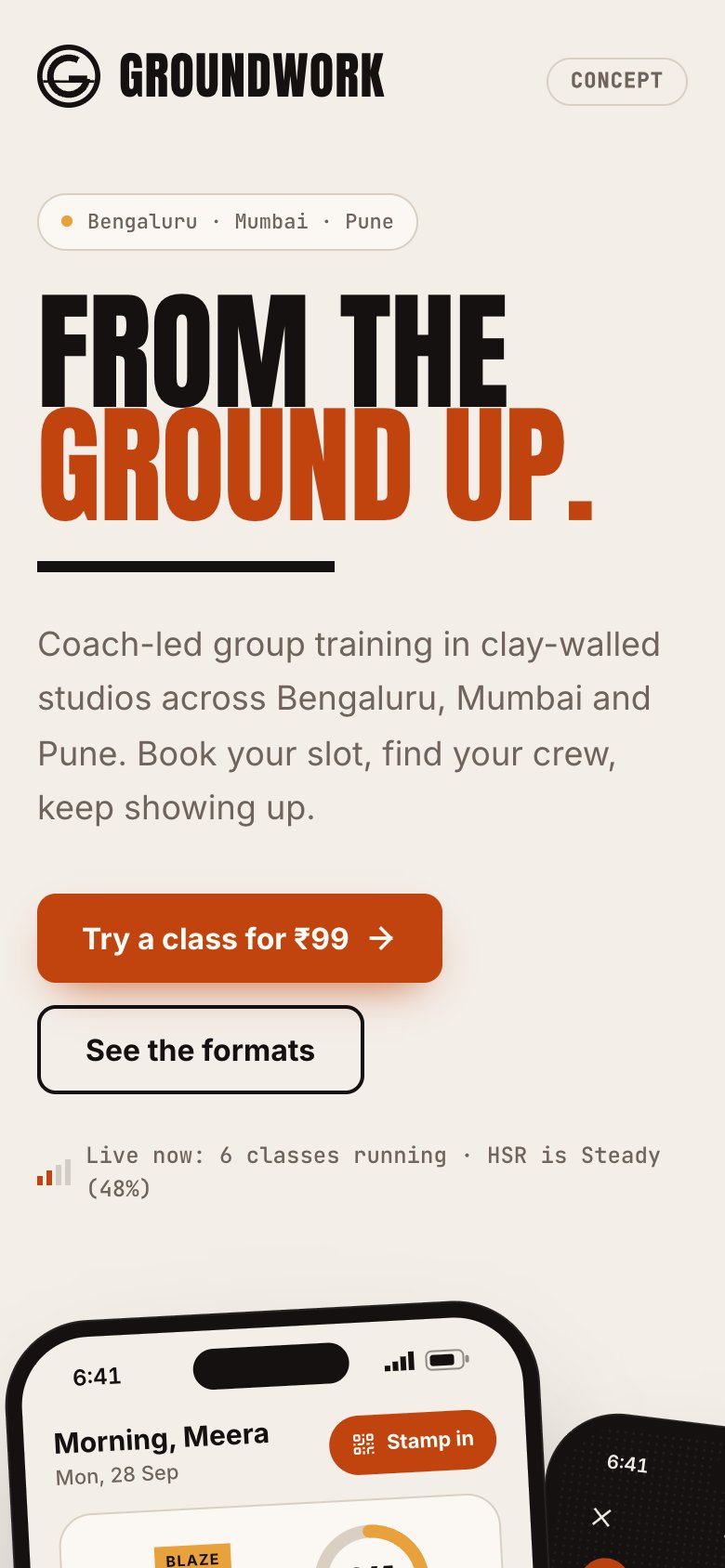
Groundwork is our concept fitness build, not a live gym or a product on sale. It explores a member app with class booking, written cancel rules, a floor-load view and a streak that tolerates rest days; a coach app with rosters and earnings; and a front-desk console with check-ins, no-shows and renewals due. It does not include hardware door integration, a payment gateway in production, GST invoicing or real members, and a real gym would need all of these.
The Saral builds this kind of app for studios and multi-branch gyms, from a fixed-scope first version. If a ready-made tool covers you today, use it and revisit when the signals above appear. Send a short brief if you want to talk through whether custom makes sense.
In the gym library
More on starting a gym
- Start hereThe full playbook →Models, licences, startup costs and the steps to your first customer.
- Go deeperWhat to buy →Cardio, racks, plates, flooring and lockers, costed, with what to buy second-hand or skip.
- Go deeperWho to hire →Trainers, front desk and housekeeping in order, with pay, vetting and PT revenue-share terms.
- Go deeperGetting customers →Pre-sales, local channels, trial passes, pricing and the follow-ups that stop members drifting.
Questions people ask
What software does a small gym need?
Under about a hundred members, a spreadsheet for members, attendance and PT sessions, UPI for payments and the WhatsApp Business app for reminders is enough. The important thing is the list of members who haven't visited in ten days and those whose plans end soon. Move to dedicated gym management software when the sheet starts causing missed renewals.
Is biometric or face recognition better for gym entry?
Neither is universally better. Fingerprint readers can fail with sweaty or chalked fingers and raise privacy questions, while face recognition and QR or RFID passes suit many floors but have their own failure modes. Ask for a trial on your own members, keep a manual fallback for outages, and read how the vendor stores and protects biometric data.
Do I need a member app for my gym?
Not at the start. Most small gyms get better results from a reliable billing and reminder system than from an app. An app starts to pay for itself when you run capped classes, multiple branches or a strong brand where members would use it daily. Check the vendor's white-label option before commissioning a custom build.
How do I take recurring membership payments in India?
Most gyms use UPI AutoPay mandates, card-on-file subscriptions through a payment gateway, or payment links sent before expiry. Recurring mandates reduce missed renewals but have set-up steps and limits that change, so confirm current rules with your payment provider. Always send a reminder before a charge and record every payment against an invoice.
When does custom gym software make sense?
Custom software makes sense when your model doesn't fit standard tools: capped classes with strict cancel rules, several branches sharing members, variable trainer pay, or a brand experience you want to own. If you are a single-floor gym with standard monthly plans, a ready-made tool is almost always cheaper and faster.