Start with a numbered paper job card, a Google Sheet that mirrors it, WhatsApp Business and a UPI QR. That setup is free or nearly free and is enough for a one-counter shop doing up to 10 to 15 jobs a day. Move to repair-shop software with GST billing and parts stock when you lose track of phones, warranty claims or what is owed to suppliers and partner shops, and build custom only if you run several outlets or a pickup service.
The purpose of repair software is not to look professional. It is to answer five questions in ten seconds: where is this phone, what did we promise, which part did we fit, who fitted it and is it still under warranty. Judge every tool against those five.
Stage 1: paper job card, sheet and WhatsApp (up to about 15 jobs a day)
Use a duplicate-copy job card book, with serial numbers, one copy for the customer and one for the tray. Mirror every job in a sheet the same day.
| Job | Use | How to set it up |
|---|---|---|
| Job register | Google Sheets | One row per job: job number, date, customer name and phone, model, IMEI, fault, accessories received, passcode policy, estimate, advance, promised date, technician, status, parts used, delivered date |
| Intake photos | Phone camera into a Drive folder named by job number | Front, back, screen with a visible crack, SIM tray, and a short video of the phone powering on |
| Customer updates | WhatsApp Business app | Labels for received, waiting for part, ready and delivered; quick replies for estimate, ready and warranty terms |
| Parts stock | Google Sheets | Model, part, grade, supplier, cost, quantity in hand, reorder level; deduct on use |
| Payments | UPI QR on the counter and a payment link for balance | Note the UPI reference against the job number |
| Warranty look-up | The same sheet, filtered by phone number or IMEI | Warranty ends date as a column; colour overdue ones |
The rule: no phone is opened before it has a job number on the tray, on the sheet and on the customer's copy. Most disputes begin with a phone that was handled before it was recorded.
Stage 2: repair-shop software and GST billing (about 15 to 60 jobs a day, or two counters)
You are ready for a tool when you cannot tell, without asking a technician, which phones are overdue, when you lose warranty claims in the sheet, or when you spend an evening matching the day's cash to bills.
| Need | What to look for | Examples to evaluate |
|---|---|---|
| Repair job tracking | Job cards with IMEI, status steps, technician assignment, photos, estimate approval and customer notifications | RepairDesk and similar repair-shop POS tools built for phone shops; check India support, GST and WhatsApp before you buy |
| GST invoicing and stock | GST invoices, HSN and SAC fields, purchase bills, stock by item, barcode, UPI collection | Vyapar, Zoho Books and Zoho Inventory, Refrens or Busy; see our GST billing software guide |
| WhatsApp status messages | Approved templates for received, estimate, ready and delivered | The WhatsApp Business API through a provider such as AiSensy or Wati, or the job-tracking tool's own integration |
| IMEI and warranty record | A searchable record by IMEI and phone number with the parts and warranty used | Most repair-shop tools; a sheet works at low volume |
| Labels and barcodes | Thermal label printer, QR labels per job and per part bin | Any common thermal printer; confirm driver support |
| Accounts and CA access | Exports for your accountant, bank reconciliation and GST returns | Zoho Books, Vyapar or Busy, with CA login |
- Run a month in parallel. Keep the sheet alongside the new tool for four weeks, and switch only if the tool answers the five questions faster.
- Check that the technician can use it on a phone with grease on his fingers. A tool that needs a laptop at the bench will be skipped.
- Test the export. You should be able to download customers, jobs and stock as a spreadsheet in one click, so that you are never locked in.
- Ask your CA whether to bill parts and labour on one invoice or two and how input credit on parts should be handled. I have not verified the current rates and rules; confirm them.
What repair software actually has to do
General billing software handles the sale. Repairs need a lot more around the job, and these are where a wrong choice shows up.
- Intake by IMEI, with a checklist of what works on arrival and photos that stay attached to the job.
- A customer-approved estimate: the customer sees a price, approves it by message and the approval is stored.
- Status steps such as received, diagnosing, awaiting part, repaired, quality-checked, ready and delivered, each with a timestamp.
- Parts used per job, deducted from stock by grade, with the supplier recorded for comeback analysis.
- Warranty logic: a repair type and part grade map to a warranty period, and a return within it is opened as a linked comeback rather than a new job.
- Passcode and data policy captured on the intake form with the customer's consent.
- Shop-to-shop jobs: partner shops send phones with their own reference and see status without calling.
- Customer messages that go on the shop's WhatsApp number rather than a technician's personal phone.
- Reports: jobs by technician, comeback rate by part and supplier, average turnaround, and money pending.
Ask a vendor to demo exactly one comeback: a phone returned with the same fault in week three. If the tool cannot link it to the original job, the part used and the supplier, it will not help you fix quality.
When custom software starts to make sense
A repair shop is a small, well-understood business, and off-the-shelf tools fit most of it. Custom is justified only for a pattern that standard tools do not handle.
| Signal | What it suggests |
|---|---|
| Three or more outlets that share customers, stock transfers and technicians | A custom or heavily configured system with one customer and warranty record across outlets |
| A doorstep or pickup-and-drop service with a fleet | Slot booking, technician assignment, live tracking, proof-of-condition photos and online payment |
| You do job work for many shops and need a partner portal | A partner view with their jobs, status, invoices and credit |
| Customers want to book, track and pay from a phone | A branded customer app or web view with status and a warranty card |
| You sell warranty plans or insured repairs | Plan records, claims workflow and renewal reminders |
| You refurbish and resell phones too | IMEI-level stock from purchase to sale, grading and a returns flow, which differs from repair |
A custom build is also a commitment to maintenance, hosting and updates. Our app development cost guide and app maintenance cost guide explain the cost drivers and what to expect. For customer-side data, check the DPDP checklist. A plain business website with a price list and booking form is often all a single shop needs before it needs an app.
A sensible path
| Stage | Jobs a day | Tools | Typical monthly spend (estimate) |
|---|---|---|---|
| 1 | Up to about 15 | Job card book, Sheets, WhatsApp Business, UPI QR, Google Business Profile | Under ₹1,000 |
| 2 | About 15 to 60 | Repair-shop software, GST billing and stock, WhatsApp templates, label printer | ₹1,500–8,000 |
| 3 | Several outlets or a pickup fleet | Custom booking, partner portal and warranty system on top of your own process | Build cost plus maintenance; ask for a fixed quote |
Move tools in a slow week, not on the first day after a new model launch or the week before Diwali.
A concept to look at: HomeCraft
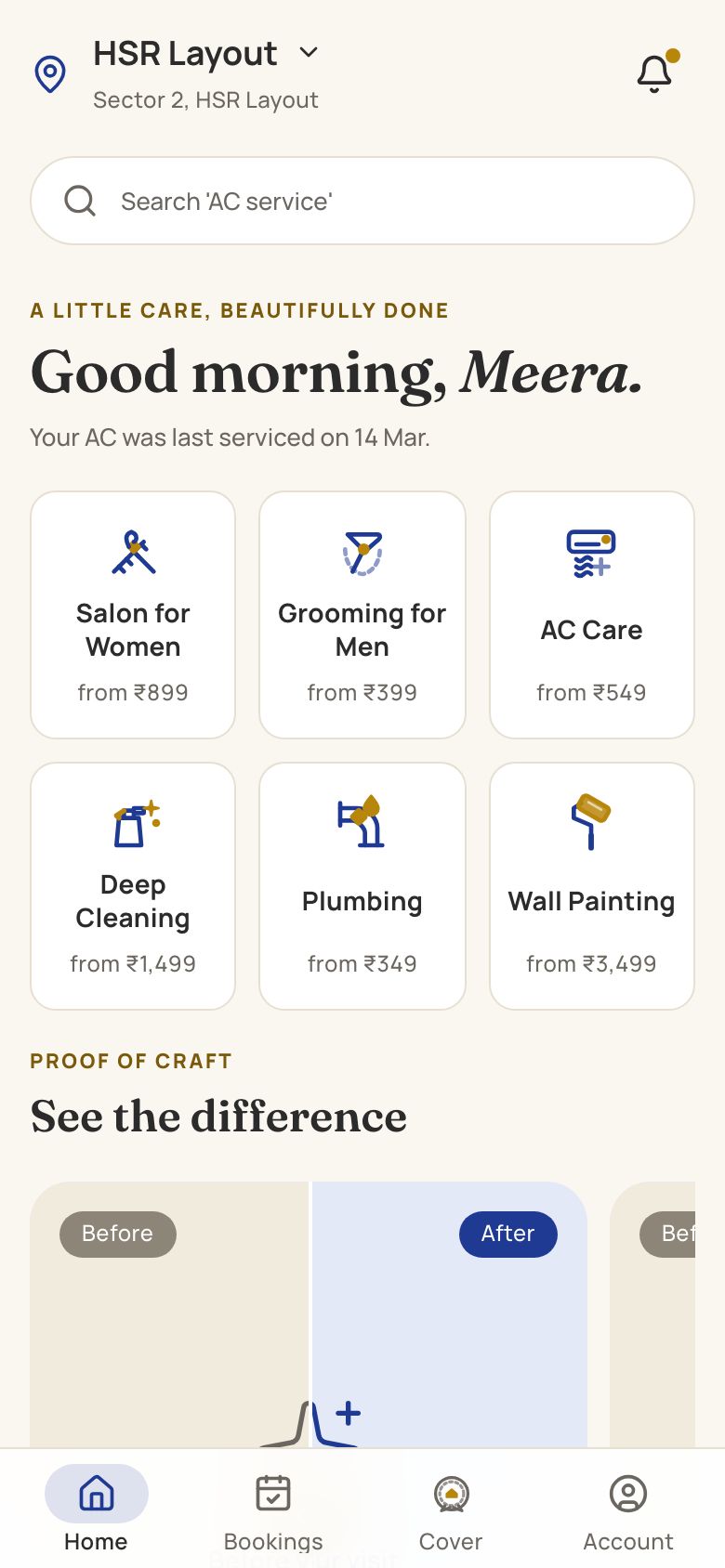
We built HomeCraft as a concept product for booked home services: slot booking, technician profiles, live job status, before-and-after photos and payment. It is a home-services app, not a phone repair product, so treat it as a demonstration of the booking, assignment and proof-of-work flow that a pickup-and-doorstep repair service would need. You can open it and click through it, and read the HomeCraft case study for how the pieces fit.
If a doorstep or multi-outlet model fits your plan, the home services app page covers features, timelines and cost drivers, and the home services app guide explains the options in plain terms. If you only need billing, the billing app page is the closer fit.
Open HomeCraft to try the concept build. If you want a version for your own business, send a brief to The Saral and we will quote it.
In the mobile repair shop library
More on starting a mobile repair shop
- Start hereThe full playbook →Models, licences, startup costs and the steps to your first customer.
- Go deeperWhat to buy →A costed bench tool list by repair level, plus what to skip until jobs justify it.
- Go deeperWho to hire →Technician roles, estimated pay, skill tests and controls against pilferage and poaching.
- Go deeperFinding suppliers →Parts grades, wholesale hubs, how to test suppliers and how to track dead-on-arrival rates.
Questions people ask
What software do mobile repair shops use in India?
Most small shops use a numbered job card book, a Google Sheet and WhatsApp Business, with a UPI QR for payment. As volume grows they add a repair-shop tool with job tracking and a GST billing app such as Vyapar or Zoho Books. A few multi-outlet or pickup businesses build custom systems.
Do I need repair shop software to start?
No. A duplicate job card book, a sheet that mirrors it and a WhatsApp Business account are enough for the first months. Add software when you lose phones or warranty claims in the sheet, or when billing and stock reconciliation take your evenings. Choose a tool that exports data in one click.
How do I track warranty on mobile repairs?
Record the IMEI, phone number, part grade and warranty end date on every job, and make them searchable. A return inside the window should be opened as a linked comeback to the original job, so you can see the part, the supplier and the technician. A sheet filtered by phone number works at low volume.
Can I send repair status updates on WhatsApp automatically?
Yes. WhatsApp Business app handles quick replies and labels manually, and the WhatsApp Business API, through a provider, can send approved templates for received, estimate, ready and delivered. Use the shop's own number, not a technician's. Costs depend on the provider and message volume; check current pricing yourself.
When is a custom app worth it for a repair business?
Usually when you run three or more outlets, a doorstep pickup service with a fleet, or a partner portal for other shops. For a single counter, repair-shop software and GST billing cover nearly everything. Custom costs build money, an owner on your side and ongoing maintenance, so get a fixed quote before you commit.