The short answer
A hyperlocal delivery business promises something close by, delivered fast or on a schedule — groceries in minutes, milk by 7 am, a parcel across town this afternoon. Customers only see one app, but the business runs on four or five.
Before you spend on technology, decide which model you are running. The apps for a dark store, a multi-shop marketplace, a morning subscription and an intracity parcel service look similar on the surface and are very different underneath.
Four hyperlocal models, four different products
| Model | Promise | Hard part | Our concept build |
|---|---|---|---|
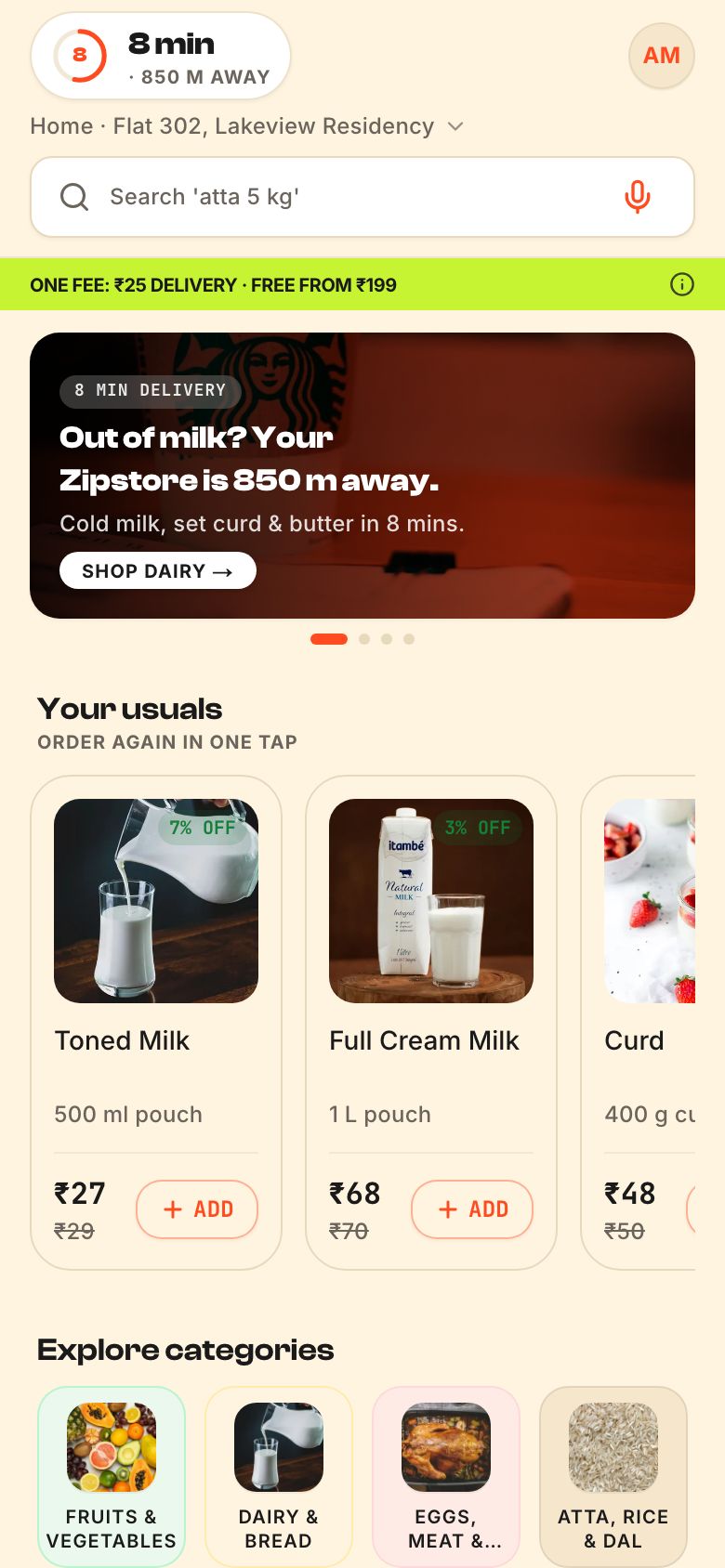
| Dark store quick commerce | Groceries in minutes from your own store | Picking speed, stock accuracy, substitutions | Zippora |
| Local shop marketplace | Many neighbourhood shops, one cart | Shop onboarding, multi-stop pickups | Zippit |
| Morning subscription | Milk and essentials at the door before 7 am | Calendars, pauses, route planning, wallet | Milkrun |
| Intracity logistics | Book a bike, three-wheeler or mini-truck now | Pricing by distance and vehicle, driver supply | HornOK |
Pick one. Trying to launch a dark store, a marketplace and a parcel service at once is how hyperlocal start-ups run out of money before they learn anything.
The apps behind the customer app
- Customer app — browse, search, cart, pay, track. Often a web app first, native apps once repeat usage is proven.
- Store or picker screen — the queue of orders to pack, sorted the way the shelves are laid out, with substitution requests.
- Rider app — duty on and off, assigned orders, navigation, proof of delivery, earnings. Must work on low-cost Android phones and patchy networks, ideally in the rider’s language.
- Ops console — the city at a glance: live orders, late orders, riders online, stores open, and tools to fix problems.
- Admin and catalogue tools — products, prices, delivery zones, offers and payouts.
Most first-time founders budget for the customer app and treat the rest as an afterthought. In practice the rider app and the ops console decide whether you keep your delivery promise. See grocery delivery apps for the full scope.
Serviceability: the first question every customer asks
Hyperlocal means you serve some pin codes and streets and not others. The app has to answer “do you deliver to me?” before anything else, and answer it honestly.
- Draw delivery zones as polygons on a map, not just pin codes — pin codes are too large in dense cities.
- Tie each zone to a store or hub and to delivery times that change with the hour.
- Show a clear message outside the zone, and let people leave their number to be told when you arrive.
- Turn zones off quickly when it rains, a store is short of riders, or there is a local disruption.
Zippora checks serviceability the moment an address is set and understands local search phrasing like “doodh” or “pyaaz 2 kg”. Small touches like that matter in Tier 2 cities.
Picking, substitutions and stock
The order is promised in minutes, but most of those minutes are spent inside the store. Good picker software:
- Sorts the pick list by aisle — ambient, then chilled, then frozen — so pickers walk once.
- Asks the customer before substituting (“Toned milk is out. Full cream instead?”) and waits briefly for a reply.
- Updates stock as items are picked, so the next customer does not order something that is gone.
- Shows the pack-by time on every order.
If your stock data is wrong, no app will save you. Fix counting and receiving processes before you scale marketing.
Riders: pay, safety and the app they live in
Riders spend their whole shift in your app. Design it as a work tool:
- Large tap targets, readable in sunlight, usable with gloves.
- Multi-stop routes when one rider picks up from several shops, as in Zippit.
- Earnings shown honestly, per order and per day, with clear payout dates.
- An SOS button and a support line that answers.
- No countdowns that push riders to speed. A realistic promise is safer and more sustainable than a reckless one.
Offer the rider app in local languages — see regional language apps.
Subscriptions and scheduled delivery
Morning dairy and essentials work differently from on-demand. There is no rush at checkout; the hard part is the calendar and the route.
- A calendar-first app: change tomorrow’s quantity, skip a day, pause for a holiday, add eggs until a cut-off at night.
- A prepaid wallet that tops up by UPI and deducts daily, with a clear statement.
- A cut-off that generates tomorrow’s route sheet for each delivery person.
- Returnable bottles and crates tracked per household, if you use them.
Milkrun and Milvara are our concepts for this model. See subscription delivery apps.
Unit economics the software should show you
Hyperlocal businesses live and die on small numbers per order. Your ops console and reports should make them visible from the first week, not after a fundraise:
| Number | What it tells you |
|---|---|
| Average order value | Whether a delivery fee or a minimum order is needed |
| Orders per rider per hour | Whether your zones are dense enough |
| Pick and pack time | Whether the store layout and picker screen work |
| Promised versus actual delivery time | Whether your promise is honest |
| Substitution and cancellation rate | Whether your stock data can be trusted |
| Repeat customers after 30 days | Whether anyone actually wants this |
Build the fee rules so you can change them without a new app release: delivery fees by distance or time of day, small-cart fees, free delivery above a threshold, surge during rain. Show every fee to the customer before they pay, item by item. Hidden fees revealed at the last step cost more trust than they earn.
Payments matter too. UPI is the default for most customers; cash on delivery may still be expected in some areas and adds reconciliation work for riders and the ops team. See UPI payments in your app.
The sample figures inside our demos are not benchmarks. Model your own numbers from your own area, supplier prices and rider costs.
A realistic order to build in
- One zone, one store or hub, a web customer app and a simple rider app. Learn what people order.
- The picker screen and an ops view, once orders arrive faster than one person can manage.
- Native customer apps, offers and referral, once repeat customers exist.
- More zones and stores, with the ops console showing the whole city.
That is roughly the shape of an MVP for Indian start-ups. For logistics rather than retail, see logistics apps. When you are ready, send us a brief — we reply with a fixed quote within 48 hours.
Questions people ask
What apps do I need for a hyperlocal delivery business?
Usually four: a customer app to order and track, a store or picker screen to pack orders, a rider app for pickups and deliveries, and an ops console to watch the city and fix problems. Add admin tools for catalogue, prices, zones and payouts. Many businesses start with web apps and add native apps later.
Should I run dark stores or partner with local shops?
Dark stores give you control over stock and picking speed but need capital and inventory. Partnering with neighbourhood shops is lighter on capital but harder to keep consistent, because stock and service vary by shop. Choose based on your funding and the area you serve.
How do delivery apps decide which areas they serve?
They draw delivery zones on a map, usually as polygons, and link each zone to a store or hub and to delivery times. When a customer enters an address, the app checks which zone it falls in. Operators switch zones off temporarily during heavy rain, rider shortages or other local disruptions.
Can a hyperlocal app start as a website?
Yes, and many should. A fast web app that installs to the home screen lets you test demand without app store reviews or two native codebases. Move to native apps when repeat customers want them, or when you need features like reliable background notifications.