The short answer
A property website has one job: turn a browsing buyer into a booked site visit. Builders need project pages that answer every question about one development. Brokers need search across many listings that matches how buyers in their city actually look — by sector, budget and BHK.
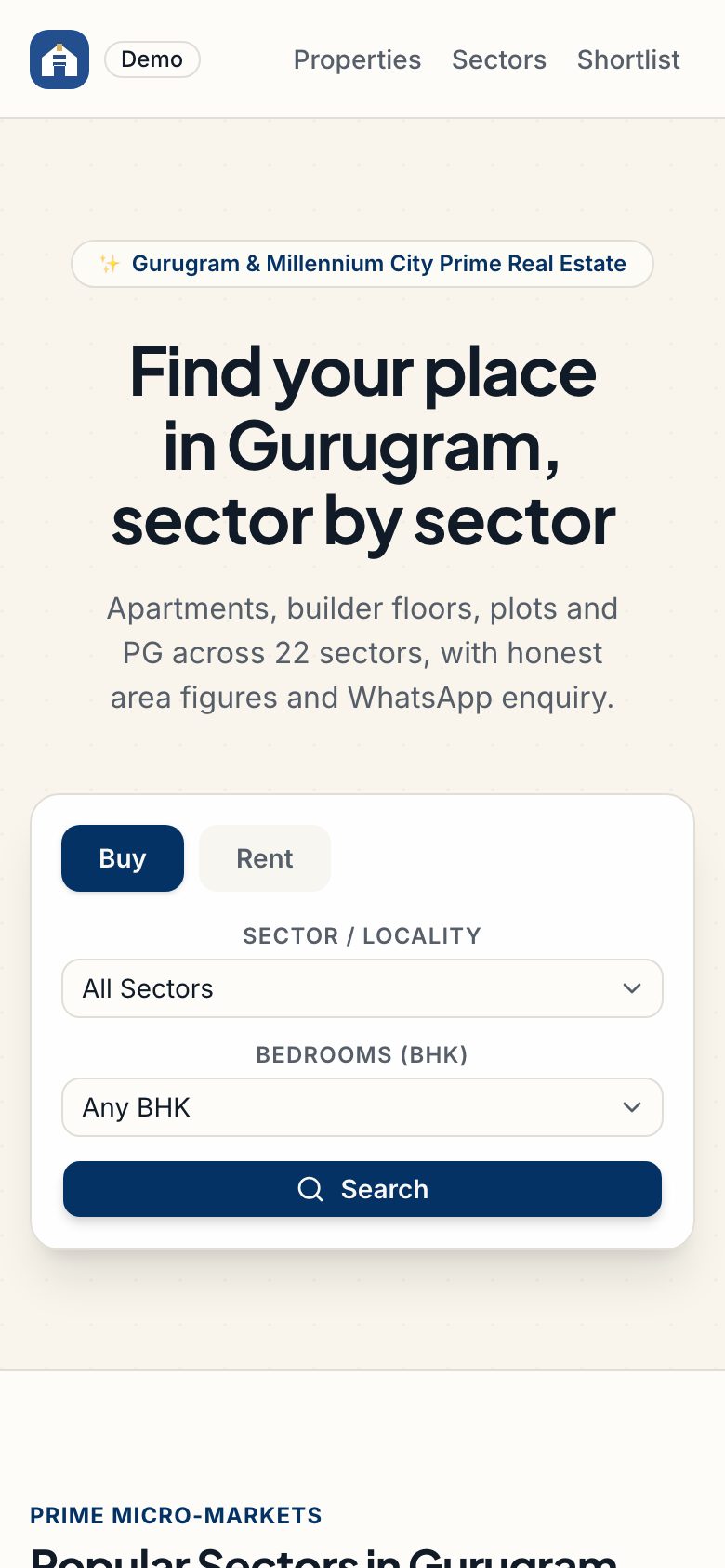
This guide covers what Indian buyers expect on a listing, how search should work, and how to make sure enquiries reach a salesperson before they go cold. Our Nestvia property search concept, set in Gurugram, is the worked example throughout.
Builder, broker or portal: different websites
| Builder or developer | Broker or agency | Portal or marketplace | |
|---|---|---|---|
| Listings | A few projects, many units each | Many listings from many owners | Very many, posted by owners and brokers |
| Main page type | Project microsite | Search results and listing pages | Search, listings and lead routing |
| Key features | Floor plans, price list, payment plan, construction updates | Map search, filters, shortlists, site-visit booking | Listing tools, verification, paid plans for posters |
| Who needs a login | Buyers after booking | Agents and sometimes owners | Owners, brokers and buyers |
Start with the column that matches your business. A builder rarely needs portal-style search; a broker rarely needs construction progress pages. Our real estate website page shows the full scope for each.
What a listing must show
Indian buyers compare listings line by line. Missing details are read as hidden details.
- Area three ways: carpet, built-up and super built-up, clearly labelled. Nestvia shows all three and lets buyers compare units side by side.
- Price in lakh and crore, with what is and isn't included: parking, club membership, maintenance deposit.
- RERA registration number for projects that need one, shown on the project page.
- Floor plans for each unit type, readable on a phone.
- Possession date or ready-to-move status, and the age of the building for resale.
- Maintenance charges per month, which buyers increasingly ask about first.
- An EMI calculator that turns the price into a monthly number.
- Real photos of the actual unit or sample flat, with renders labelled as renders.
RERA rules, including what must appear in advertisements, are set and enforced by each state's authority. Confirm what your state requires on listings and ads.
Search that matches how buyers look
Buyers in Gurugram think in sectors, buyers in Mumbai in stations and suburbs, buyers in Bengaluru in tech corridors. Search should speak the local language of place.
- List and map side by side, with the map able to search the area on screen.
- Drawing an area on the map, for buyers who want to stay near one metro line or office corridor. Nestvia supports polygon search for this.
- Filters for buy or rent, BHK, budget, property type and who posted it.
- Locality pages with honest information: typical rents, the mix of property types and what's nearby.
- Shortlists that work without an account at first, then sync once the buyer signs in.
From enquiry to site visit
Most property leads go cold because nobody replies quickly. The website should hand over every enquiry with enough context that a salesperson can call within minutes.
- Enquiry forms that ask for the minimum: name, phone, and the listing they came from.
- Instant acknowledgement on WhatsApp with the brochure, and an option to pick a site-visit slot.
- A simple lead board for your team: new, contacted, visit booked, visited, negotiating, closed.
- Source tracking, so you know which pages, ads and localities bring buyers who actually visit.
Our WhatsApp for business apps guide explains message templates and opt-in, and our business inbox page covers shared inboxes for sales teams.
Extras that earn their place
- Construction updates with dated photos for buyers who have already booked. It reduces anxious calls.
- A channel partner portal for builders who work with brokers: inventory, price lists and lead registration.
- Interiors and furnishing, for buyers who have just got their keys. Our Nookly concept lets people preview furniture in their own room with AR and run an interior project to sign-off.
- NRI-friendly pages: video walkthroughs, documentation help and time-zone-aware call booking.
Getting found on search
Locality and project pages are what buyers search for. Write them with real, specific information — rents, schools, commute times, what's being built nearby — rather than copying one template across dozens of localities. Thin copy-paste pages tend to do worse over time, not better.
Keep the site fast on mobile data, add structured data for listings where it matches what is on the page, and keep your Google Business Profile current. Our local SEO guide goes through each step.
Mistakes that cost property websites leads
Most property sites don't fail because of design. They fail on a handful of details that make buyers leave or make enquiries disappear.
- Price on request. Buyers skip listings without a price or at least a range. If you can't show the exact price, show a starting price and what it includes.
- Super built-up area only. Buyers who have been burnt before look for carpet area first. Hiding it reads as hiding something.
- Stale listings. A flat that sold months ago still showing as available costs you credibility on every call. Mark sold units, and expire old listings automatically.
- Heavy pages. Large renders and auto-playing videos load slowly on mobile data. Compress images and let people choose to play video.
- Forms that go nowhere. Enquiries that land in an inbox nobody checks on Sunday are lost. Route them to the right salesperson and acknowledge them instantly.
- One page for every locality, word for word. Copy-paste locality pages read badly and tend to do worse in search. Write fewer, better ones.
A simple test: open your site on a mid-range Android phone on mobile data, find a 2 BHK under your typical budget, and send an enquiry. Time each step. If any of it frustrates you, it frustrates buyers more.
Time and cost
A builder's project site with floor plans, price list and lead capture can be ready in a few weeks. A broker's search site with maps, filters, shortlists and a lead board usually takes six to eight weeks for a first version. Owner listing tools, verification and paid plans add more.
See our website cost guide for ballpark ranges, or send a brief for a fixed quote within 48 hours. If you are in a major property market, our pages for Gurugram, Mumbai and Pune cover local specifics.
Questions people ask
What should a real estate website include in India?
Listings with carpet, built-up and super built-up area, price in lakh or crore with inclusions, RERA details where needed, floor plans, possession date, maintenance charges and an EMI calculator. Add map search by locality, shortlists, and an enquiry flow that books a site visit and reaches a salesperson within minutes.
Do I need to show the RERA number on my website?
For registered projects, showing the RERA registration number on project pages and advertisements is widely expected, and states set the specific requirements. Check your state authority's current rules, or ask your legal adviser, and make sure the number is easy to find on every project page and ad landing page.
How long does it take to build a property website?
A single builder's project site can be ready in a few weeks. A broker or agency search site with map search, filters, shortlists and a lead board usually takes six to eight weeks for a first version. Owner posting tools, verification and paid listing plans extend that.
Should a real estate business build an app or a website?
Start with a website. Most buyers search on Google and open links from ads or WhatsApp; few will install an app to browse one broker's listings. An app makes sense later for repeat users: your sales team, channel partners, or buyers tracking construction after booking. Read website, app or both.