The short answer
Your customers already read WhatsApp more reliably than email, SMS or app notifications. Used well, it carries the messages that matter — order confirmed, rider nearby, appointment tomorrow, payment received — and gives customers a way to reply to a person. Used badly, it becomes spam that gets your number blocked.
The short version: use the official WhatsApp Business Platform (the API), not a personal phone with a broadcast list. Send only approved templates to customers who opted in. Answer replies inside a shared team inbox, not on one staff member’s handset. Keep the app as the place where things happen, and WhatsApp as the place where people hear about them.
The app, the WhatsApp Business app and the platform are three different things
Business owners often mix these up, and the choice decides what you can automate.
| Option | Good for | Limits |
|---|---|---|
| WhatsApp Business app (on a phone) | A single shop or clinic answering a few dozen chats a day | One phone plus a handful of linked devices, manual replies, broadcast lists only reach people who saved your number |
| WhatsApp Business Platform (API) | Automated order updates, OTPs, reminders, a team answering together | Needs a verified business, approved message templates, a provider or direct setup, and per-message or per-conversation charges |
| Your own app’s push notifications | Free, rich, instant updates for people who installed the app | Many users turn them off or never install; nothing reaches people on the website only |
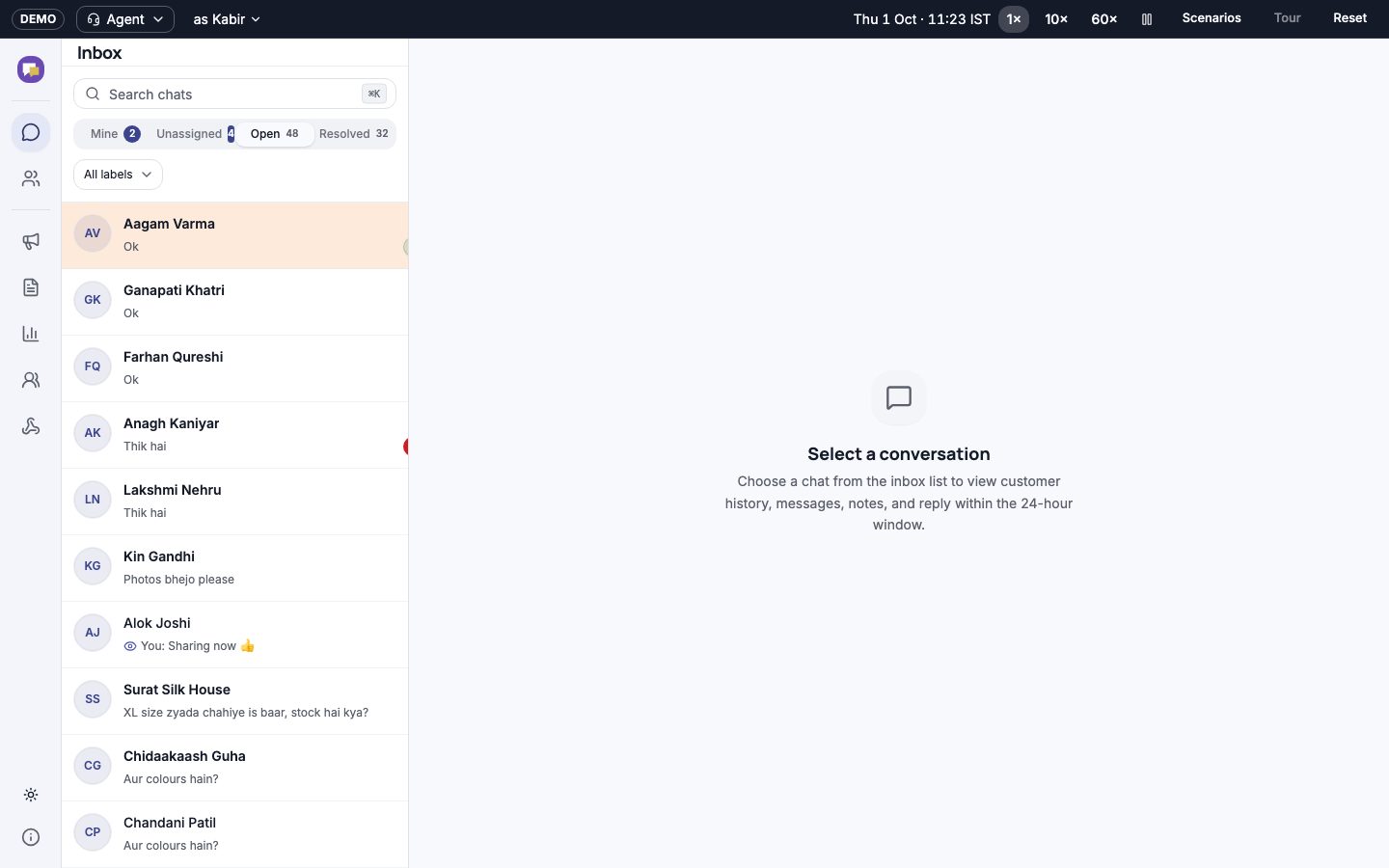
If you are still on a single phone and your team forwards screenshots to each other, that is the sign to move to the platform. Our Replyvo concept shows what that move looks like: one official number, many agents, every chat assigned to someone.
How the platform works, in plain words
Four rules shape everything you build on the WhatsApp Business Platform:
- Opt-in first. The customer must agree to hear from you on WhatsApp. Collect it clearly — a checkbox at checkout, a toggle in the app, or the customer messaging you first — and store when and where they agreed.
- Templates for anything you start. A message you send first (an order update, a reminder, an offer) must use a pre-approved template. Templates have fixed wording with placeholders like {{name}} and {{order_id}}, and are reviewed before you can use them.
- A 24-hour window for replies. When a customer messages you, you can reply freely — any text, image or document — for 24 hours after their last message. After that, you are back to templates.
- Categories decide the price. Templates are classed by purpose — broadly utility (order and account updates), authentication (OTPs) and marketing (offers). Each category is charged differently, and marketing is usually the most expensive.
Meta changes the pricing model, categories and rates from time to time — it has moved between conversation-based and per-message charging. Check the current rate card for India before you budget, and ask your provider how they pass costs on.
The messages worth sending
Every message should answer a question the customer would otherwise ask you. A useful test: would they be annoyed if this message did not arrive?
| Business | Worth sending on WhatsApp | Better left in the app |
|---|---|---|
| Food or grocery delivery | Order confirmed, out for delivery, delivered, refund processed | Every status change, menu updates, daily deals |
| Clinic | Appointment booked, reminder the evening before, report ready | Health tips newsletters |
| School | Fee due, holiday notice, bus delayed | Every homework entry (put it in the parent app) |
| D2C store | Order shipped with tracking link, delivery OTP, return pickup scheduled | New-arrival blasts to everyone |
| Services | Pro assigned with name and photo, pro arriving, invoice | Upsell messages after every visit |
Notice the pattern: transactional messages go on WhatsApp, browsing and history stay in the app or website. That keeps your costs predictable and your block rate low.
OTPs: WhatsApp, SMS or both
Many Indian apps now send login OTPs on WhatsApp first and fall back to SMS. WhatsApp OTPs tend to arrive reliably over mobile data, support a one-tap copy button, and avoid some of the delays SMS routes can have. SMS still matters for people without WhatsApp, on feature phones, or with no data at that moment.
- Offer the channel choice on the login screen, with WhatsApp as the default if most of your users have it.
- Fall back to SMS automatically if the WhatsApp message is not delivered within a short time.
- Keep OTP templates in the authentication category — do not add promotional lines to them.
- Rate-limit OTP requests per number and per device so nobody can run up your bill.
SMS in India also has its own rules — registered sender IDs and templates on the telecom operators’ DLT system. Your SMS provider will walk you through it, but plan a few days for it before launch. For login design in general, see launching on Google Play from India.
Support: one number, many people
The moment more than one person answers customers, you need a shared inbox. Without one, chats get missed, two staff reply to the same customer, and nobody knows who promised what.
A good team inbox — like the one in Replyvo, built for a Jaipur ethnic-wear brand — does a few things well:
- Routing. New chats go to the right team (orders, returns, wholesale) and to whoever is free, round-robin or by skill.
- Saved replies. Agents answer common questions with one tap, in the brand’s voice and in the customer’s language.
- Context. The customer’s recent orders sit next to the chat, so nobody has to ask for an order number twice.
- SLA timers. A chat waiting too long turns amber, then red, so the team lead sees it before the customer gets angry.
- Hand-off from bot to human. Simple questions (where is my order?) can be answered automatically; anything else reaches a person quickly.
See business inbox and CRM for the full feature list we build.
Broadcasts without getting blocked
Marketing broadcasts are where most businesses lose their quality rating. If many people block or report your number, WhatsApp can limit how many messages you can send, or pause a template.
- Send marketing only to people who opted in to offers, not everyone who ever ordered.
- Segment: a sale on kurtas goes to people who bought kurtas, not your entire list.
- Send less often than you think. Once or twice a month is plenty for most businesses.
- Always include an easy way to stop — a quick-reply button that actually unsubscribes them.
- Watch the funnel: sent, delivered, read, clicked. A falling read rate is your warning.
Wiring it into your app
Technically, your app or backend calls the platform (directly or through a provider) whenever an event happens — order placed, rider assigned, report uploaded. Incoming messages arrive at a webhook you host. A few build decisions save trouble later:
- Keep one event system: the same ‘order shipped’ event triggers the push notification, the WhatsApp template and the email, each with its own rules.
- Store the opt-in, the template used and the delivery status for every message. You will need it when a customer says “I never got it”.
- Link back into the app or website with a deep link, so a tap on “Track order” opens the right screen.
- Translate templates. If your customers read Hindi, Tamil or Marathi, approve templates in those languages too — see regional language apps.
- Treat phone numbers and chat history as personal data. Limit who can see them and how long you keep them — see the DPDP checklist.
If you are planning a new app, put messaging in the first version rather than bolting it on. It is part of the process from week one in our builds.
Questions people ask
Can I send WhatsApp messages from my app for free?
Not through the official platform. Replies inside the 24-hour customer service window have generally been free or cheap, but business-initiated templates — order updates, OTPs, offers — are charged by Meta, and providers may add their own fee. Rates differ by category and change over time, so check the current India rate card before you plan volumes.
Do I need the WhatsApp Business API for a small shop?
Usually not at first. A single shop answering a few dozen chats a day manages fine with the WhatsApp Business app on a phone. Move to the platform when you want automatic order updates, when several staff need to answer from one number, or when you need OTPs and reminders sent without anyone pressing send.
Why was my WhatsApp template rejected?
Templates are usually rejected for unclear purpose, promotional wording inside a utility or OTP template, placeholders with no surrounding text, or formatting problems. Write the template the way a customer would read it, keep one purpose per template, and choose the category honestly. Re-submit with the fix; approval is often quick.
Should OTPs go on WhatsApp or SMS in India?
Ideally both. Send on WhatsApp first if most of your users have it, because it arrives over data and supports one-tap copy, and fall back to SMS automatically if it is not delivered. SMS needs DLT-registered templates with your provider, so set that up before launch.